Apply Payment Plan to Fee Payer
Quick answer
- Open the fee payer in All fee payers, edit Payment defaults, select the method of payment and payment plan, then use Academic ▸ Update payment plan to apply the split to selected invoices.
- After applying, verify via Inquiries and reports ▸ Payment Plan ▸ Payment plan details, or view the plan directly from the fee payer record via Academic ▸ View payment plan.
With payment schedules configured and the payment plan template in place, apply the plan to an individual fee payer's account to split their outstanding invoices into instalments.
Set the payment plan on the fee payer
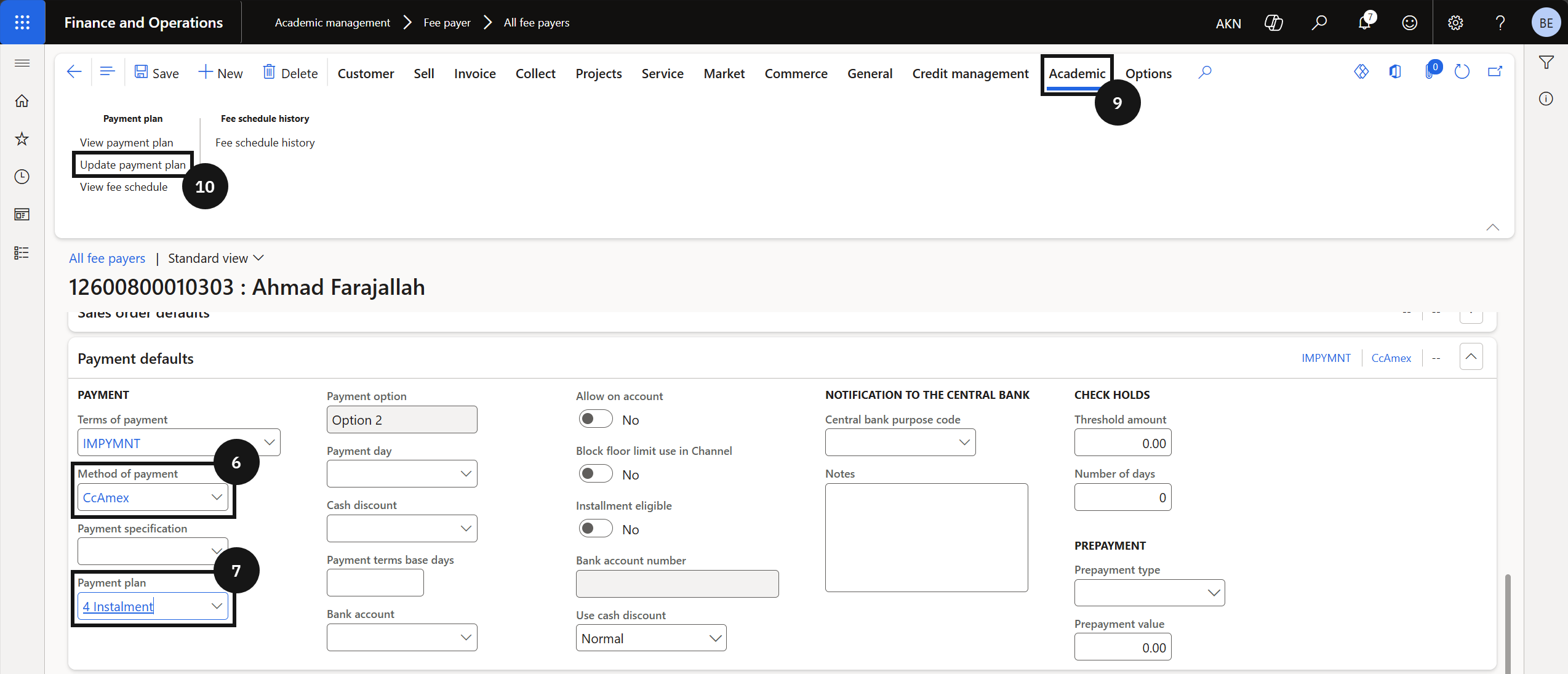
From the FNO dashboard, open Modules ▸ Academic management, expand Fee payer, and click All fee payers. Select and open the fee payer account (③). Expand the Payment defaults section and click Edit in the Action Pane. Select a Method of payment (⑥) and choose the Payment plan to apply (⑦). Click Save.

Apply the plan to invoices
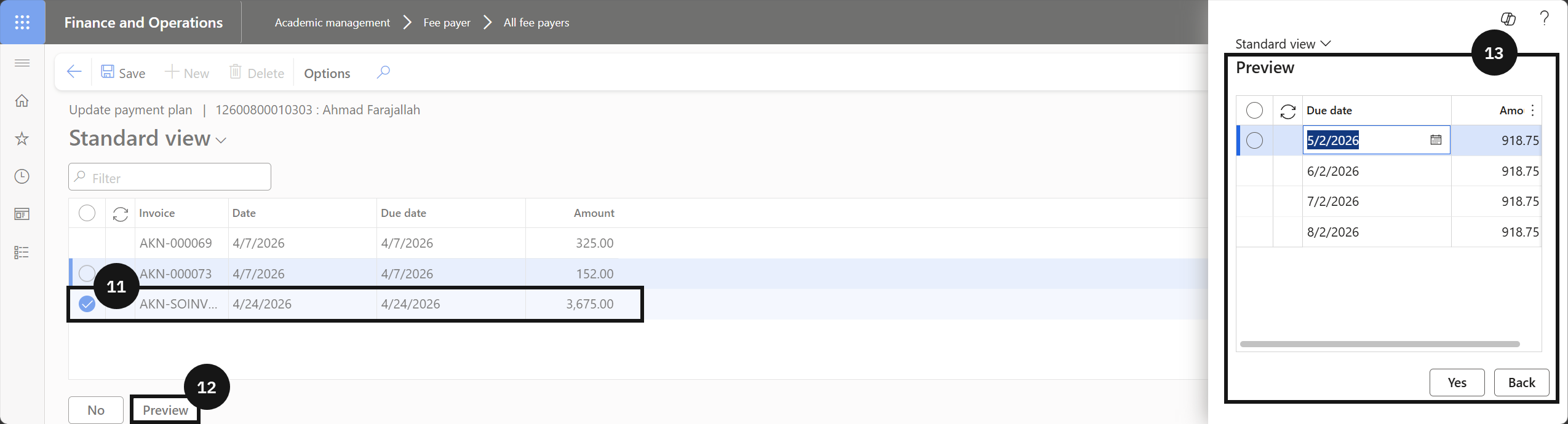
Click the Academic tab (⑨) and click Update payment plan (⑩). Tick the Mark checkbox to select one or more invoices (⑪). Click Preview in the bottom left to review the split invoices (⑫). Review the details, then click Yes in the bottom-left corner to proceed, or Back to cancel (⑬). Click Save.
Verify the payment plan
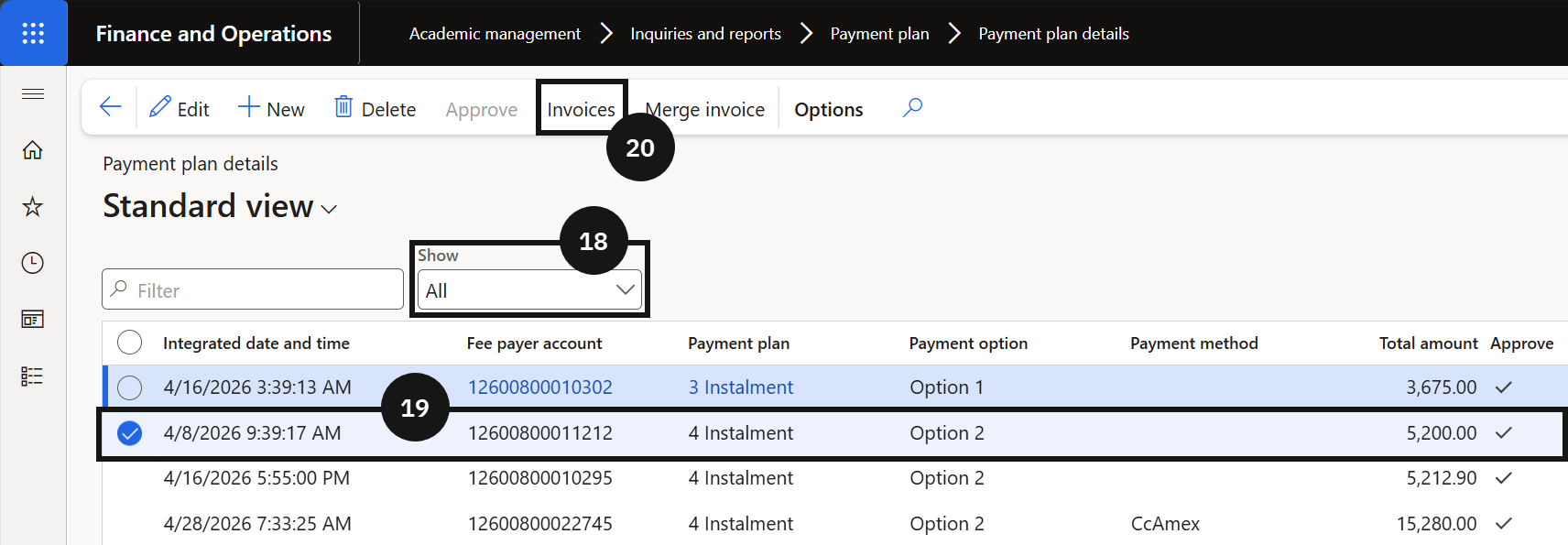
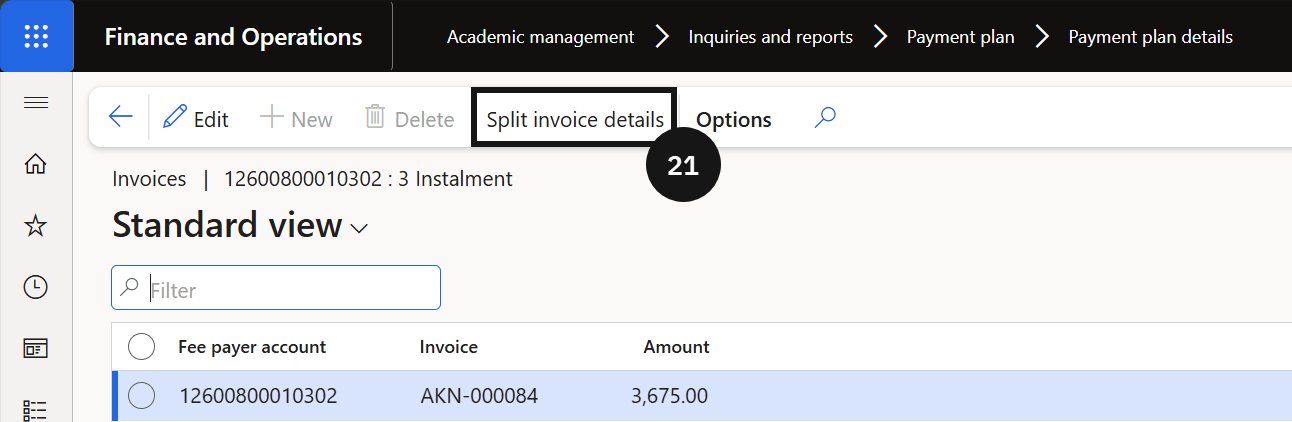
To view all fee payers on a payment plan, open Modules ▸ Academic management ▸ Inquiries and reports, expand Payment Plan, and click Payment plan details. Change the filter to Show All (⑱). Select the invoice (⑲), click Invoices in the toolbar (⑳), then click Split invoice details (㉑) to verify the invoices were split correctly.
To view the plan directly from the customer, navigate to the fee payer record, click Academic on the Action Pane (㉔), and under Payment plan select View payment plan (㉕).