End of Day Procedure
Quick answer
- Consolidate open deposit slips by payment method from Accounts receivable ▸ Workspaces ▸ Customer payments ▸ Consolidate deposit slip.
- Generate a Deposit slip report filtered by the consolidated deposit slip number, then verify the deposit as a single transaction on the bank account.
At the end of each business day, individual deposit slips created across the day are consolidated into a single entry by payment method and a combined deposit slip report is generated for banking purposes. Once consolidated, the deposit is verified against the bank account transaction view to confirm the day's cash is correctly recorded.
Review open deposit slips
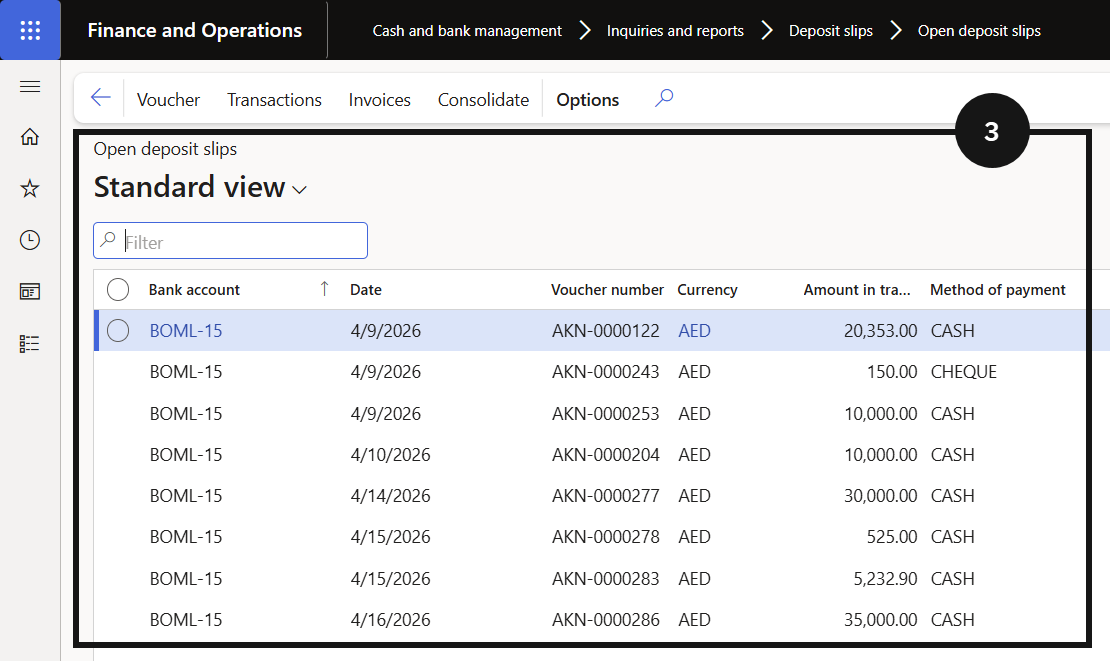
From the FNO dashboard, open Modules ▸ Cash and bank management, expand Inquiries and reports, and click Deposit slips, then Open deposit slips (③). This shows all individual deposit slips created during the day — each slip represents a separate cash transaction not yet consolidated.
Consolidate deposit slips
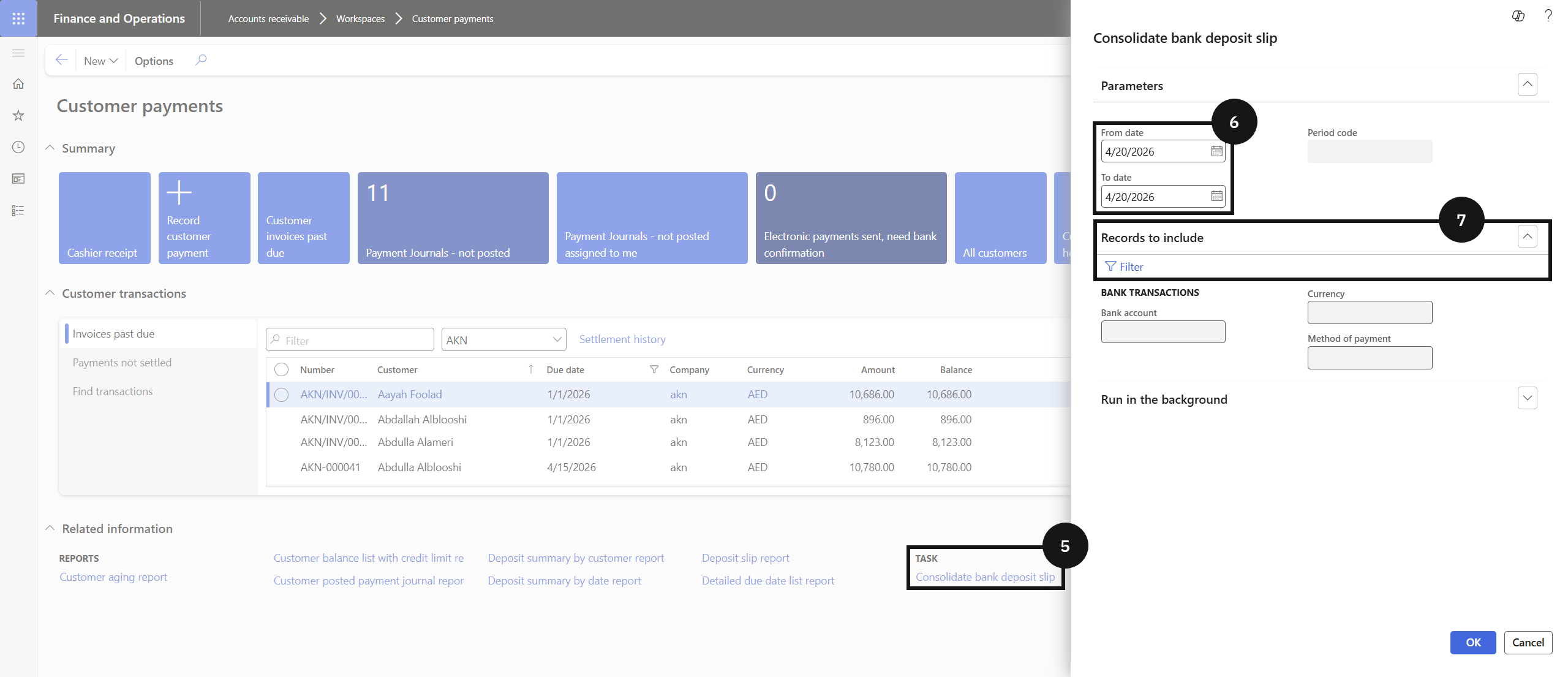
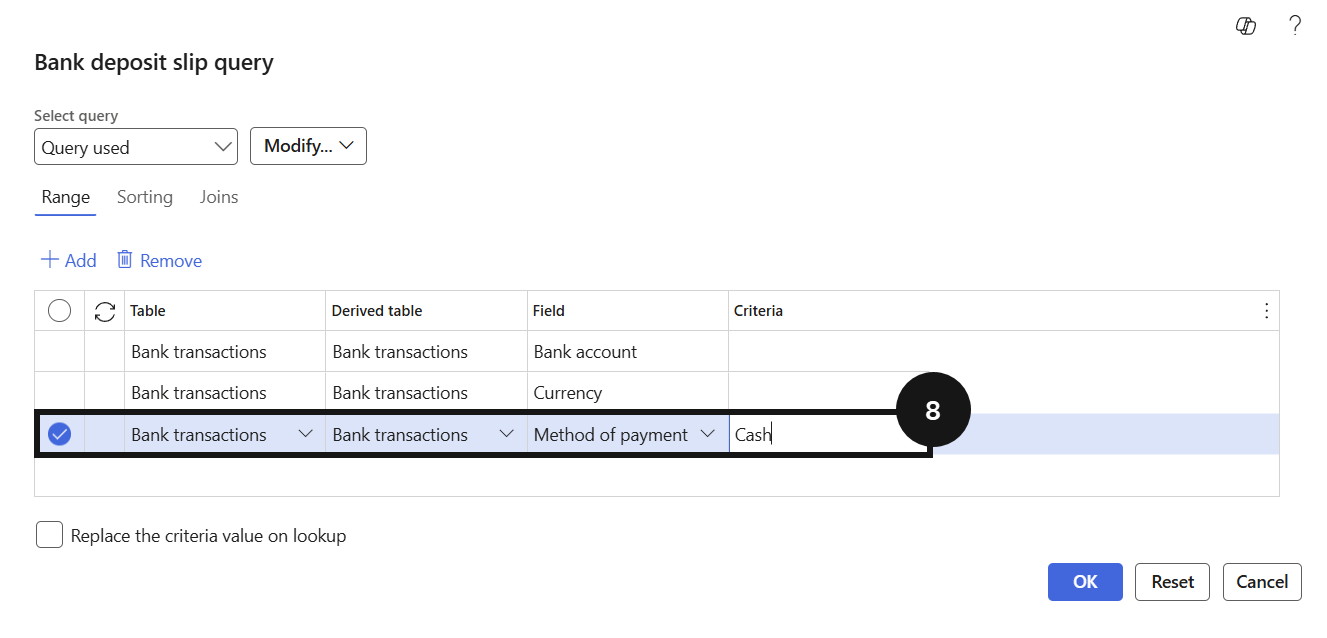
Go to Modules ▸ Accounts receivable ▸ Workspaces ▸ Customer payments and click Consolidate deposit slip (⑤). Enter the date range for the consolidation (⑥), then expand Records to include and click Filter (⑦). Select the Method of payment (e.g., Cash) (⑧) and click OK, then OK again to confirm.
The individual open deposit slips for the selected date are replaced by a single consolidated entry and will no longer appear under Open deposit slips.
Generate the deposit slip report
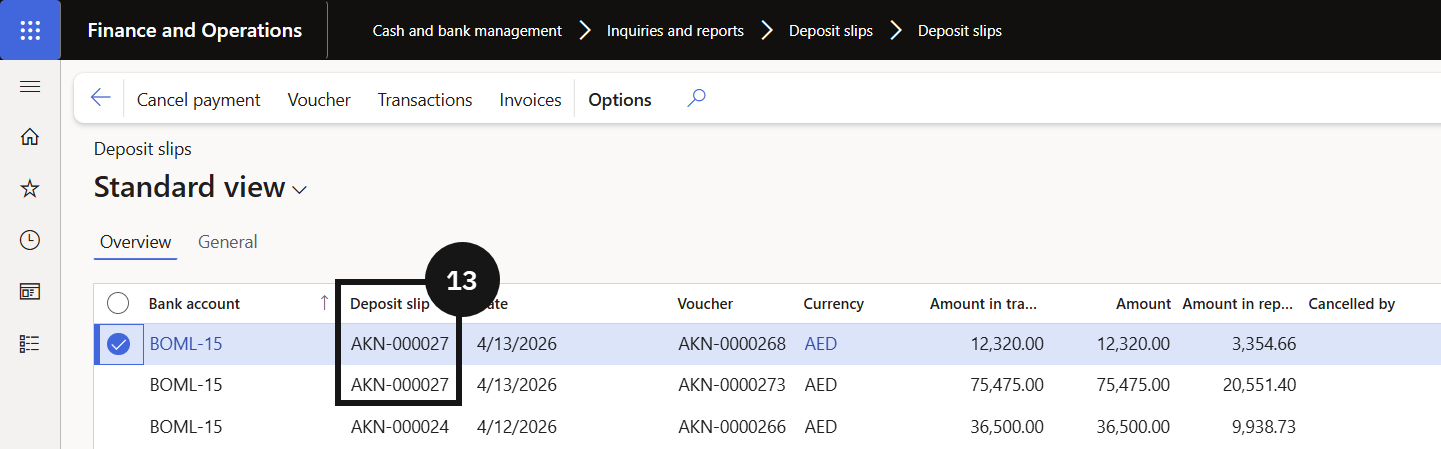
Return to Modules ▸ Cash and bank management ▸ Inquiries and reports ▸ Deposit slips. Locate the consolidated deposit slip for the relevant date and note the deposit slip number (⑬).
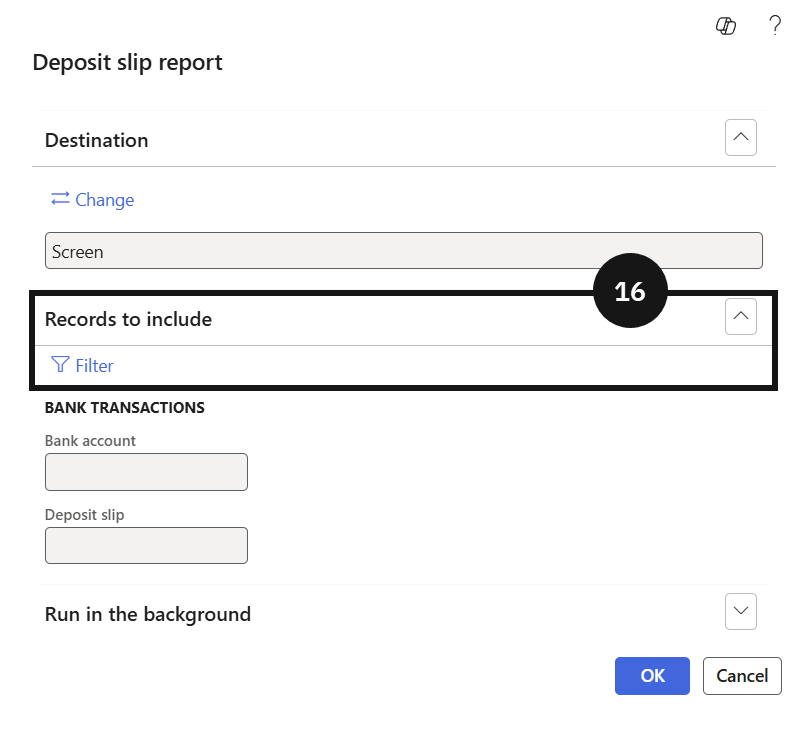
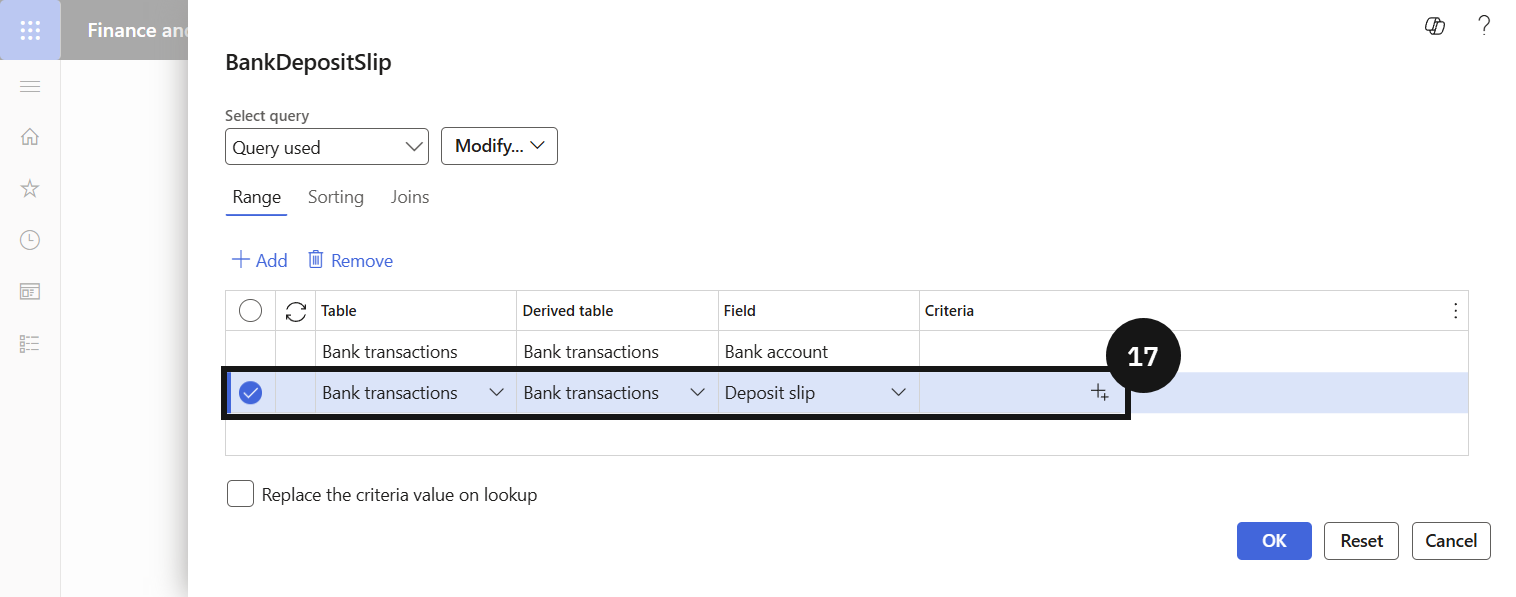
Click Deposit slip reports, expand Records to include, click Filter (⑯), and enter the deposit slip number in the criteria field (⑰). Click OK to generate the report.
Verify the bank transaction
Open Modules ▸ Cash and bank management, click Bank accounts, and select the relevant bank account. Click Transactions and confirm the consolidated deposit appears as a single transaction amount for the day.