View Student Ledger
Quick answer
- Open the student record, click Collect ▸ Statements, enter the date range, optionally enable Suppress Advance Invoice, and click OK.
- The student ledger provides a consolidated view of invoices, payments, advance invoices, and prepayments for an individual student over a specified date range.
The student ledger provides a consolidated view of a student's financial activity over a specified date range. Finance staff use it to review invoices, payments, advance invoices, and prepayments for an individual student.
Open the student record and generate the ledger
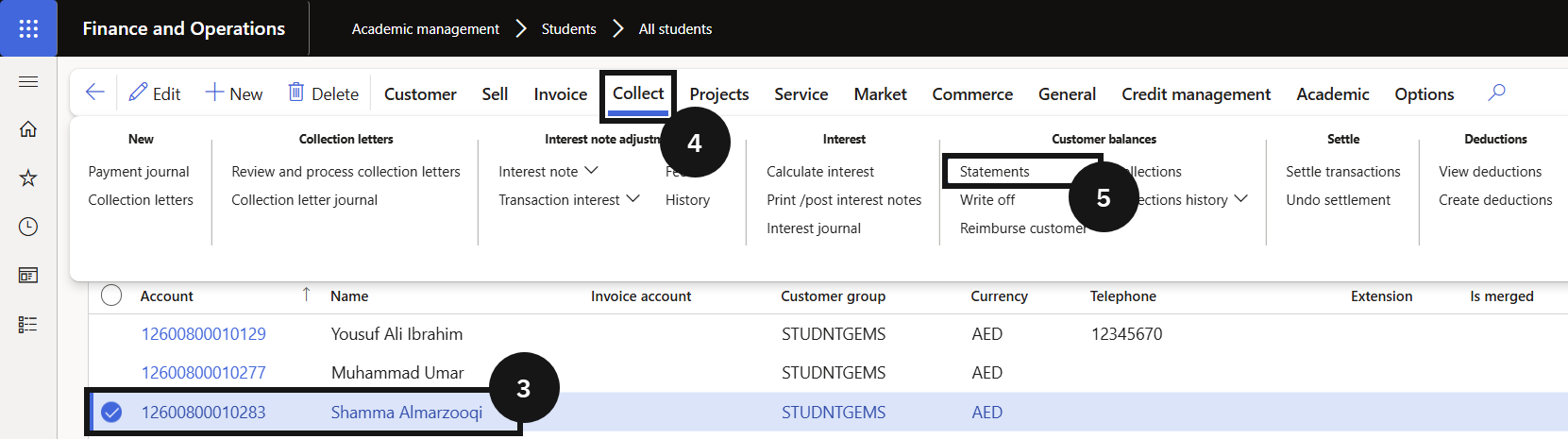
From the FNO dashboard, open Modules, expand Students, and click All Students. Select the student (③) and click Collect (④) on the Action Pane. Click Statements (⑤) and complete the following:
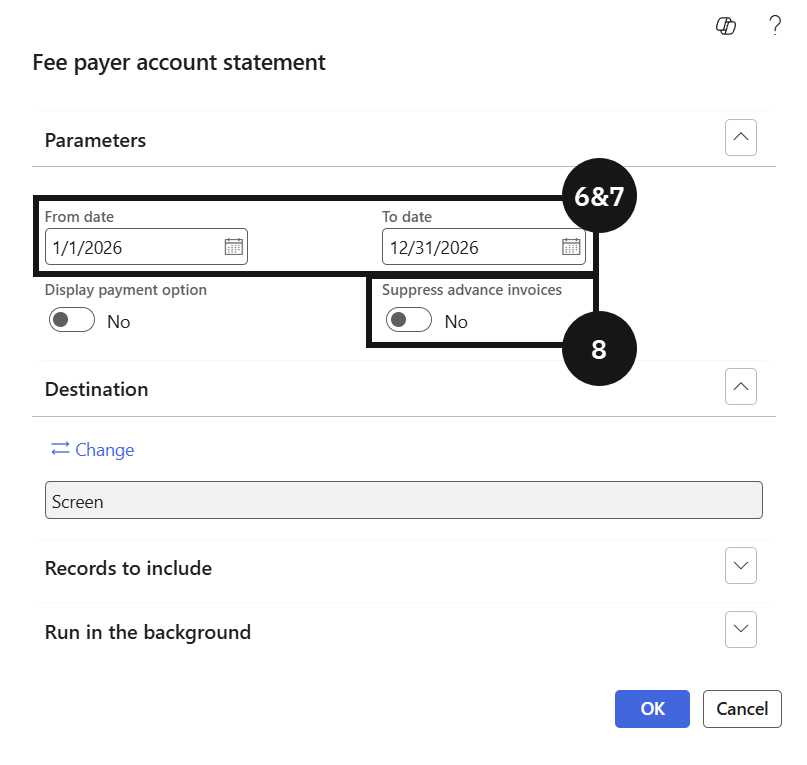
- From date — enter the start of the date range (⑥-⑦).
- To date — enter the end of the date range (⑥-⑦).
- Suppress Advance Invoice (⑧) — enable this toggle to exclude advance invoice and prepayment invoice lines, producing a simplified statement view.
Click OK to generate the report.