Update Student Enrolment Dates
Quick answer
- In Academic Management ▸ Students ▸ All Students, open the student record, go to Academic ▸ Academic enrolments, and update the Effective date to the actual start date.
- Critical changes such as enrolment dates can only be managed in the Student Management System, not directly in D365 F&O.
Note: Critical changes such as enrolment dates can only be managed in the Student Management System, not directly in D365 F&O.
Academic enrolment dates are maintained in the Student Management System, which serves as the system of record for all academic lifecycle data. D365 F&O is not used to create or manage these dates directly.
Open the student's enrolment record
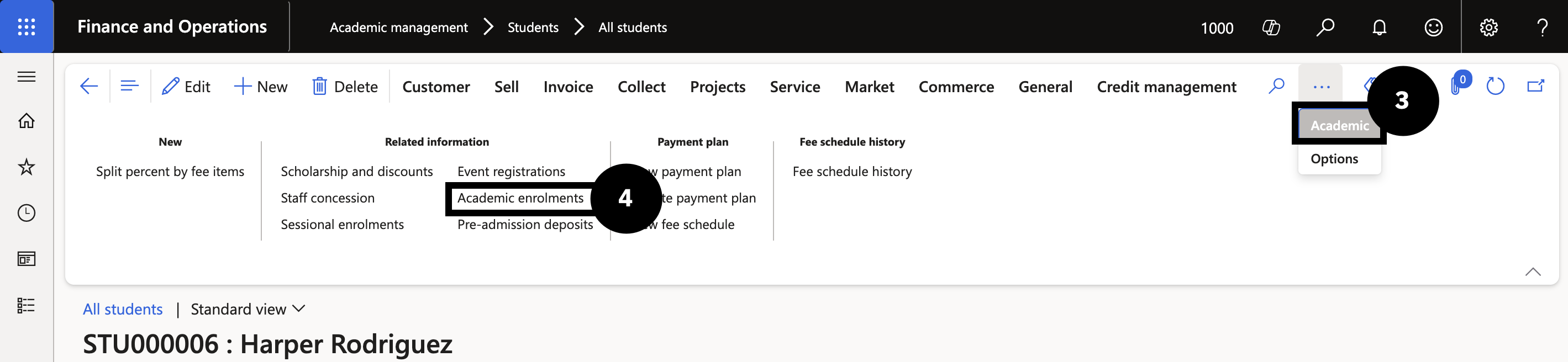
From the FNO dashboard, open Modules ▸ Academic Management, expand Students, and click All Students. Select students who will begin after the term start date. Click the Academic tab (if not visible, click the ellipsis) (③) and then click Academic enrolments (④).
Update the effective date and save
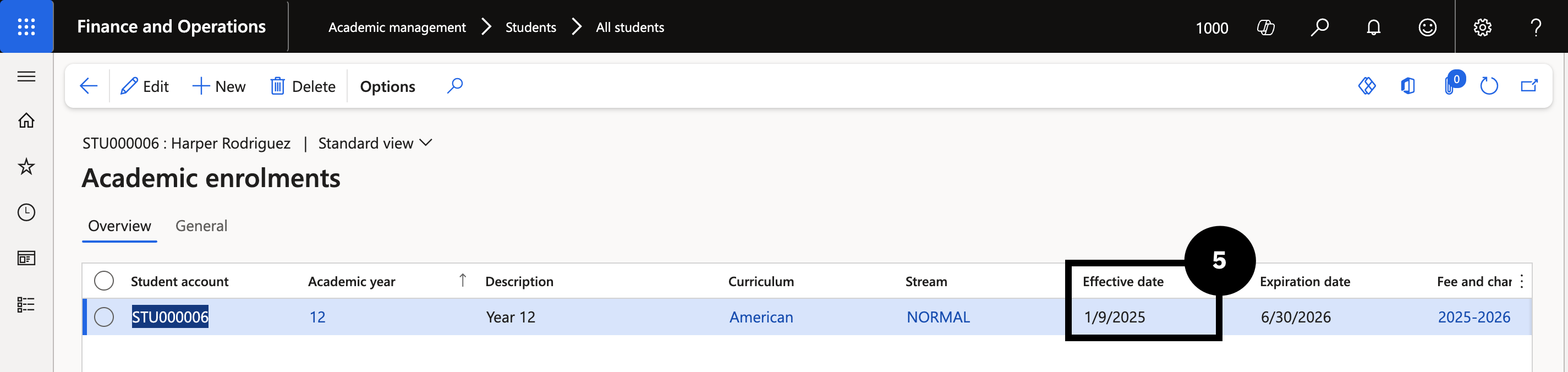
Edit each student's enrolment record and set the Effective date (⑤) to the actual start date. Click Save.