Regenerate a Proforma Invoice Document
Quick answer
- Open the student's sales order via All sales orders, click Sell ▸ Journals ▸ Sales order confirmation, select the latest version, then click Preview/Print ▸ Use print management.
- This regenerates and resends the proforma invoice without creating a new sales order or confirmation record.
Use this process to resend a proforma invoice that has already been confirmed. This regenerates and resends the document without creating a new sales order or confirmation record.
Open the sales order confirmation
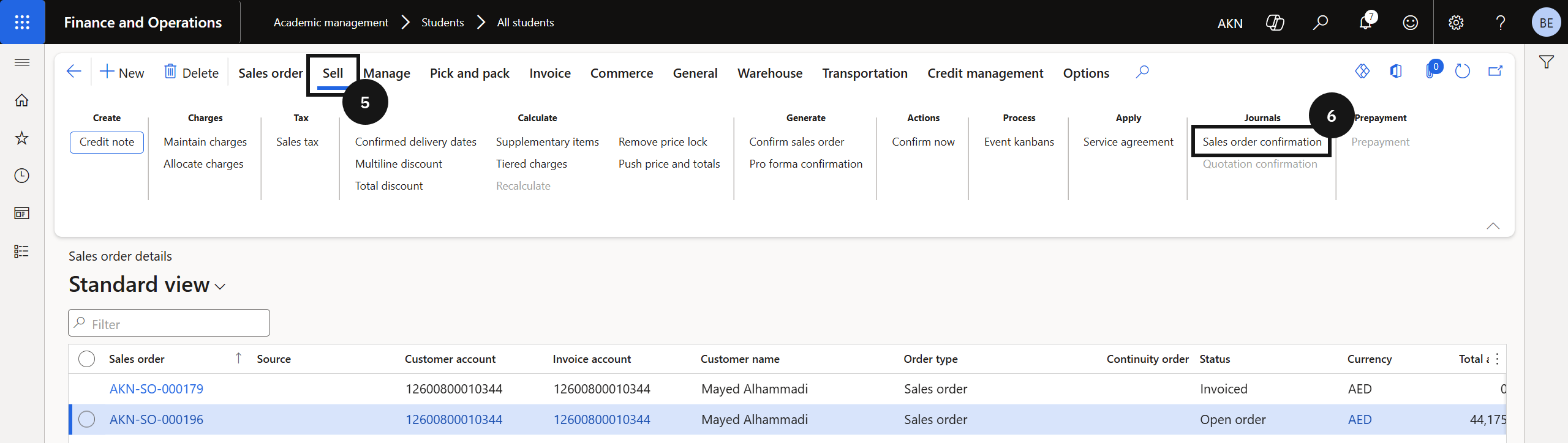
From the FNO dashboard, open Modules ▸ Academic Management, expand Students, and click All students. Filter for the student, click Sell, then click Orders ▸ All sales orders. Open the relevant sales order. On the Action Pane, click Sell (⑤), then under Journals click Sales order confirmation (⑥). Select the latest version of the confirmation (⑦).
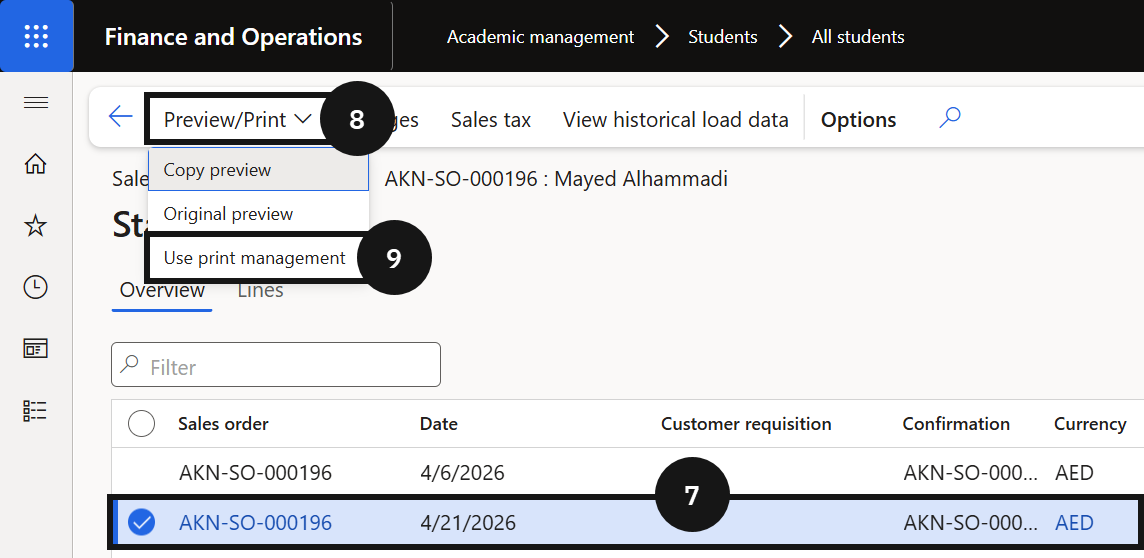
Reprint and resend
Click Preview/Print (⑧), then click Use print management (⑨). Click Close.