Reconcile Sales Orders
Quick answer
- Open the fee schedule batch in All fee schedule batches, click Fee generation reconciliation report to check counts of fee payer accounts and students included.
- Export to Excel via right-click on the Fee payer name column header for further validation.
After the fee generation batch has run, reconcile the output to confirm the expected number of students and fee payer accounts were captured. This ensures no students were unexpectedly excluded before invoices are posted.
Open the reconciliation report
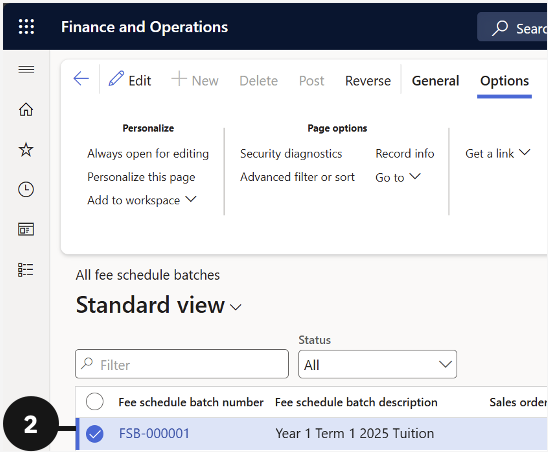
From the FNO dashboard, open Modules ▸ Academic Management, expand Fee schedule batches, and click All fee schedule batches. Click the relevant Fee schedule batch number (②), then open Fee generation reconciliation report (③) to review how many fee payer accounts and students were included.

Export for further validation (optional)
Right-click the Fee payer name column header and select Export all rows. In the dialog, click Download to export the data to Excel or SSRS for further validation (④).
