Recalculate Open Sales Order Prices
Quick answer
- Run Academic Management ▸ Periodic tasks ▸ Recalculate Open Sales Order, filter by student or sales order, set Recalculate sales price = Yes, and click OK.
- After a fee price change is posted, open proforma sales orders generated under the old price will not automatically update — this task re-prices those open orders.
After a fee price change is posted, open proforma sales orders generated under the old price do not automatically update. This task re-prices those open orders using the current trade agreement price.
Run the recalculation task
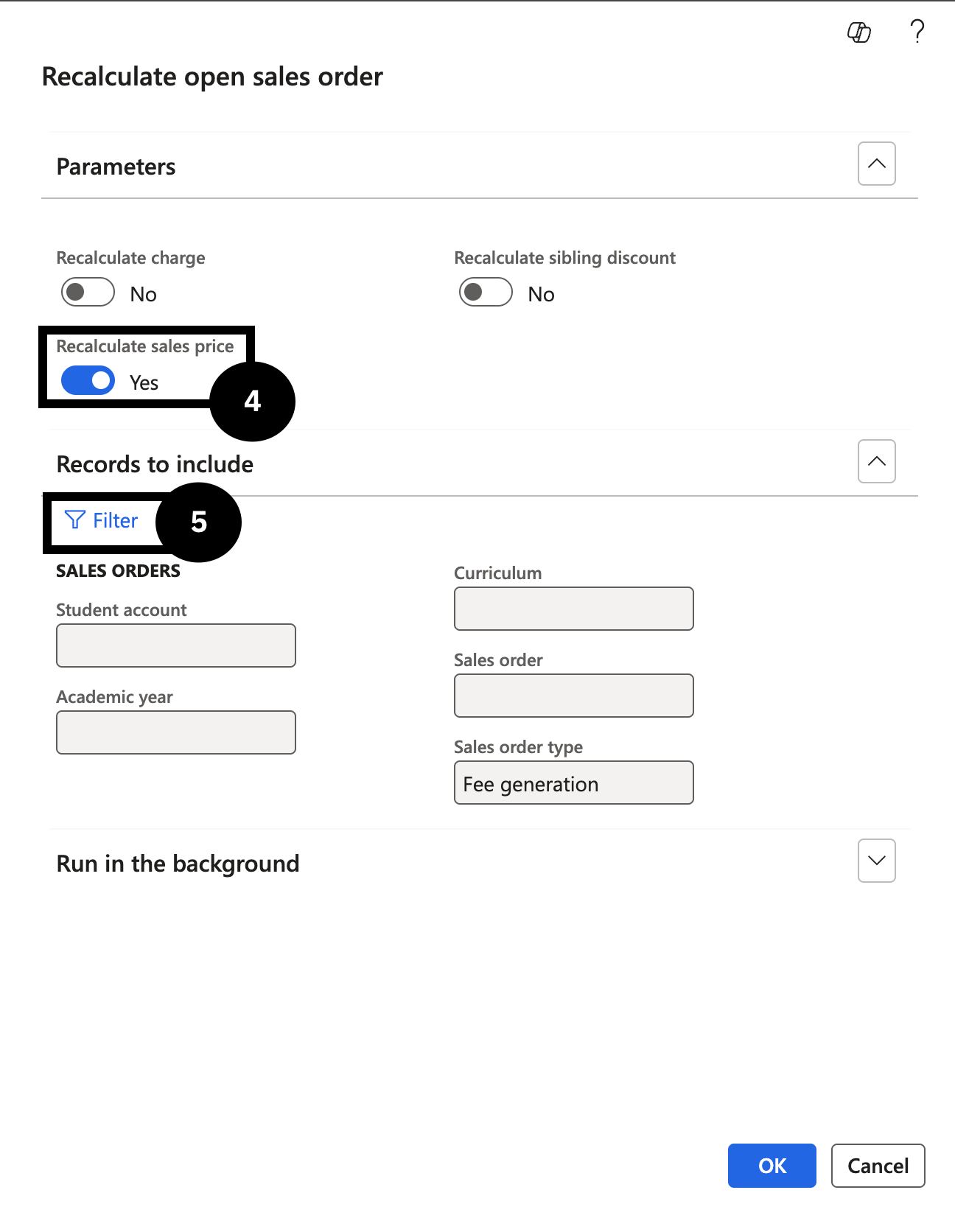
From the FNO dashboard, open Modules ▸ Academic Management, expand Periodic Tasks, and click Recalculate Open Sales Order. Set the following:
- Recalculate sales price — toggle to Yes (④).
In Records to include, filter by Student account or a specific Sales order number (⑤). You can also filter for an entire fee and charge interval to reprice all students in a billing cycle.
Click OK.
Verify the updated price
Return to the sales order and refresh the page to confirm that future terms show the updated price.