Generate Proforma Invoice Documents in Bulk
Quick answer
- Open Sales and Marketing ▸ Sales orders ▸ Order confirmation ▸ Confirm sales order, filter by fee and charge interval, enable Print confirmation and Use print management destination, then click OK.
- For large volumes, use the Batch option to run in the background. The system emails each proforma invoice to the fee payer automatically.
Use this process to confirm and send proforma invoices for an entire billing cycle at once. The system automatically emails each document to the fee payer on completion.
Open Confirm sales order
From the FNO dashboard, open Modules ▸ Sales and Marketing, expand Sales orders ▸ Order confirmation, and click Confirm sales order.
Filter by billing cycle
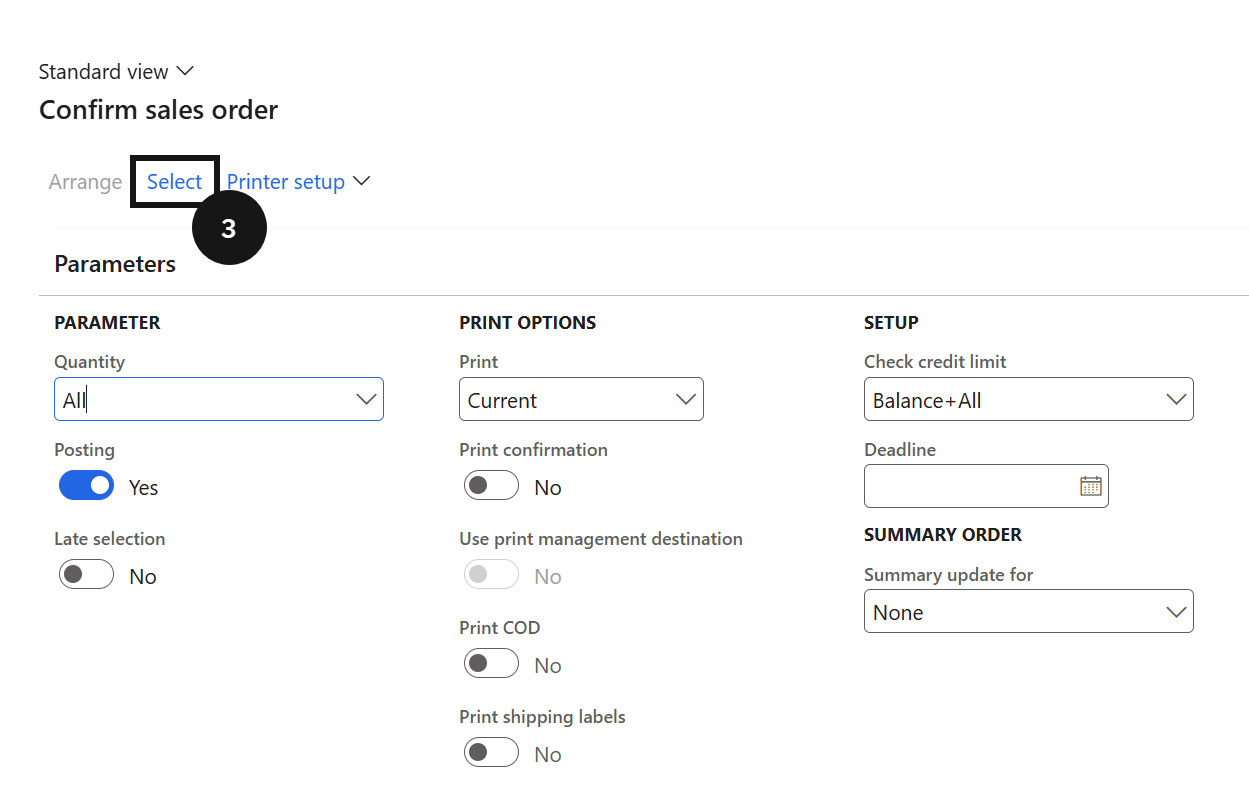
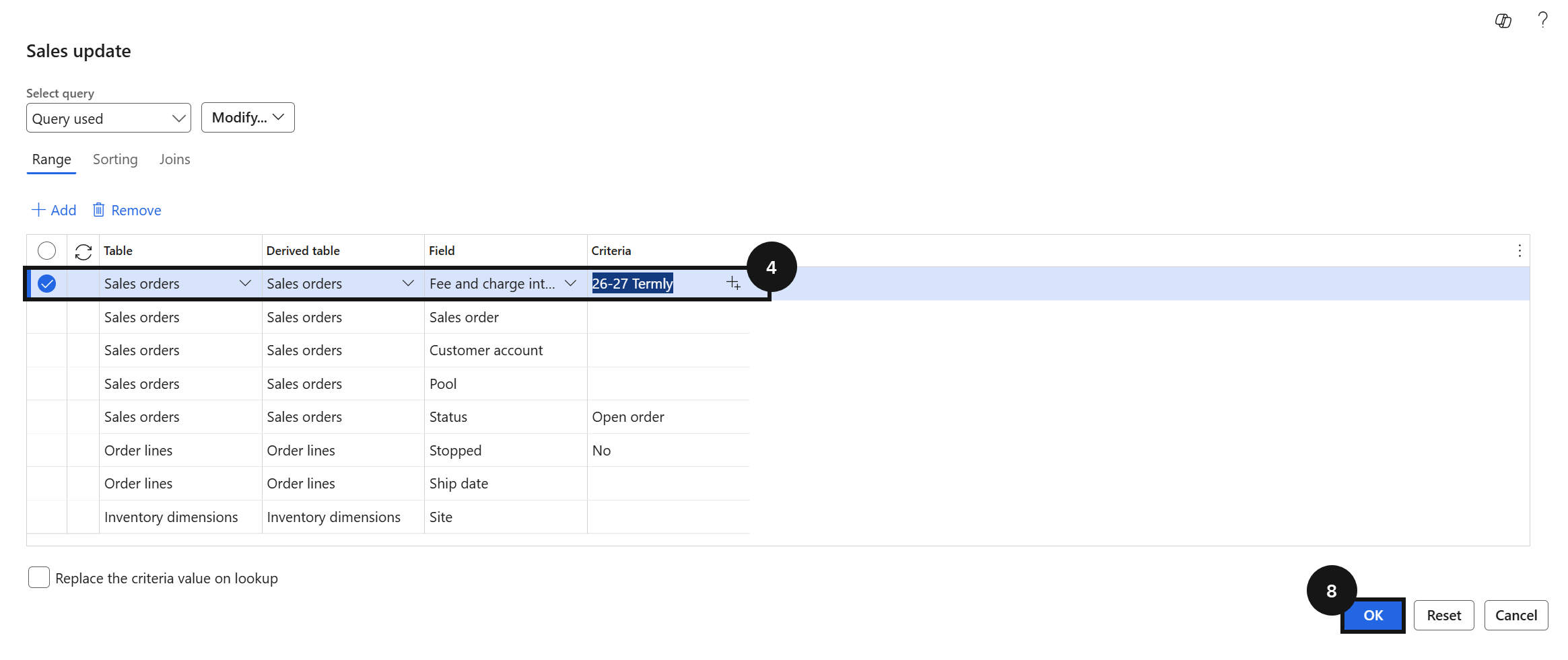
Click Select (③) and add a filter for Fee and charge interval (④). Click OK (⑧), then enter the billing cycle year to filter for the proforma invoices to generate. The system lists all open sales orders matching the selected billing cycle.
Enable print options and submit
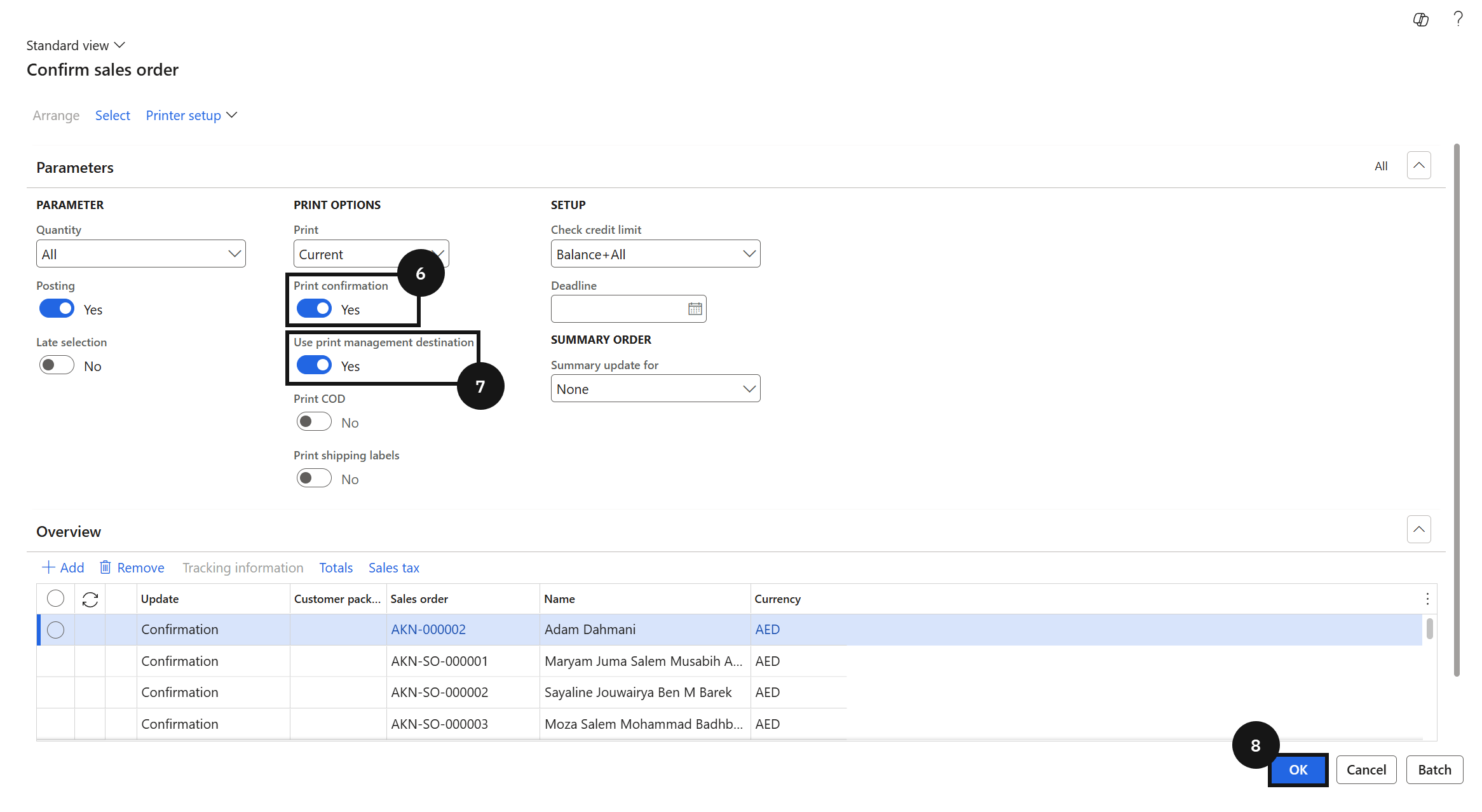
Enable Print confirmation (⑥) and Use print management destination (⑦). For a manageable number of orders, click OK (⑧) to generate and send documents immediately. For large volumes, click Batch, enable Batch processing, and click OK to run in the background. The system automatically emails each proforma invoice to the fee payer as an attachment once processing completes.