Generate a Proforma Invoice Document
Quick answer
- Find the student's sales order via Academic Management ▸ Students ▸ All students ▸ Sell ▸ Orders ▸ All sales orders, click Sell ▸ Confirm sales order, set Print confirmation and Use print management destination to Yes, then click OK.
- The system sends the proforma invoice to the fee payer using the print management destination configured for the school.
Proforma invoices are generated from confirmed sales orders and sent to fee payers before a formal tax invoice is issued. Use this process to confirm and send a proforma for an individual student.
Find the student's sales order
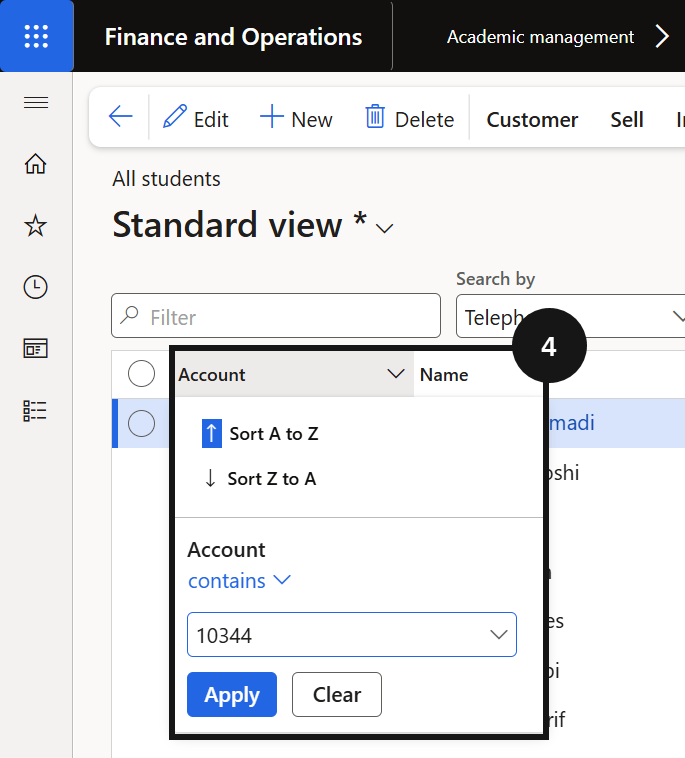
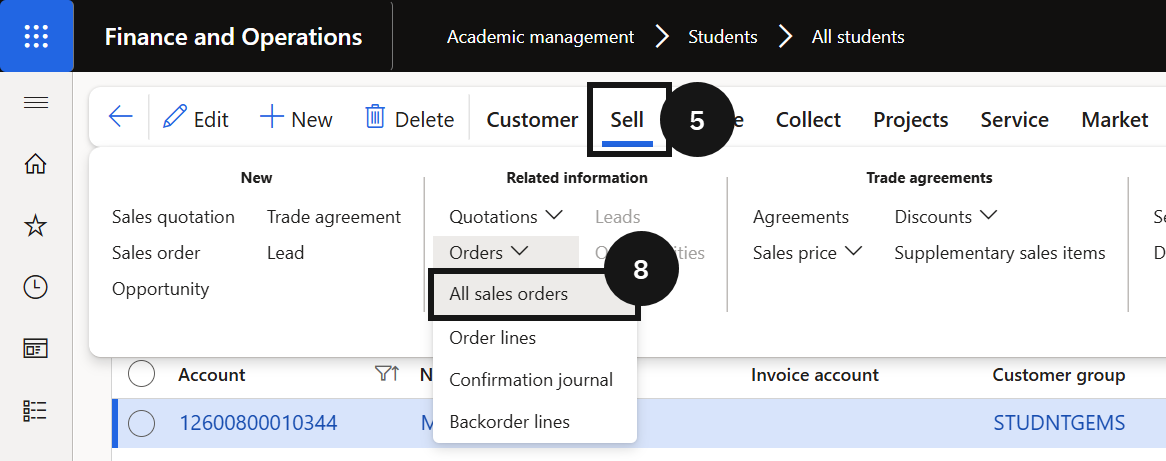
From the FNO dashboard, open Modules ▸ Academic Management, expand Students, and click All students. Filter for the student using the Account column filter (use the contains operator) (④). Click Sell on the Action Pane (⑤), then click Orders ▸ All sales orders to view all sales orders for the student (⑧). Select the sales order to confirm.
Confirm and send the proforma invoice
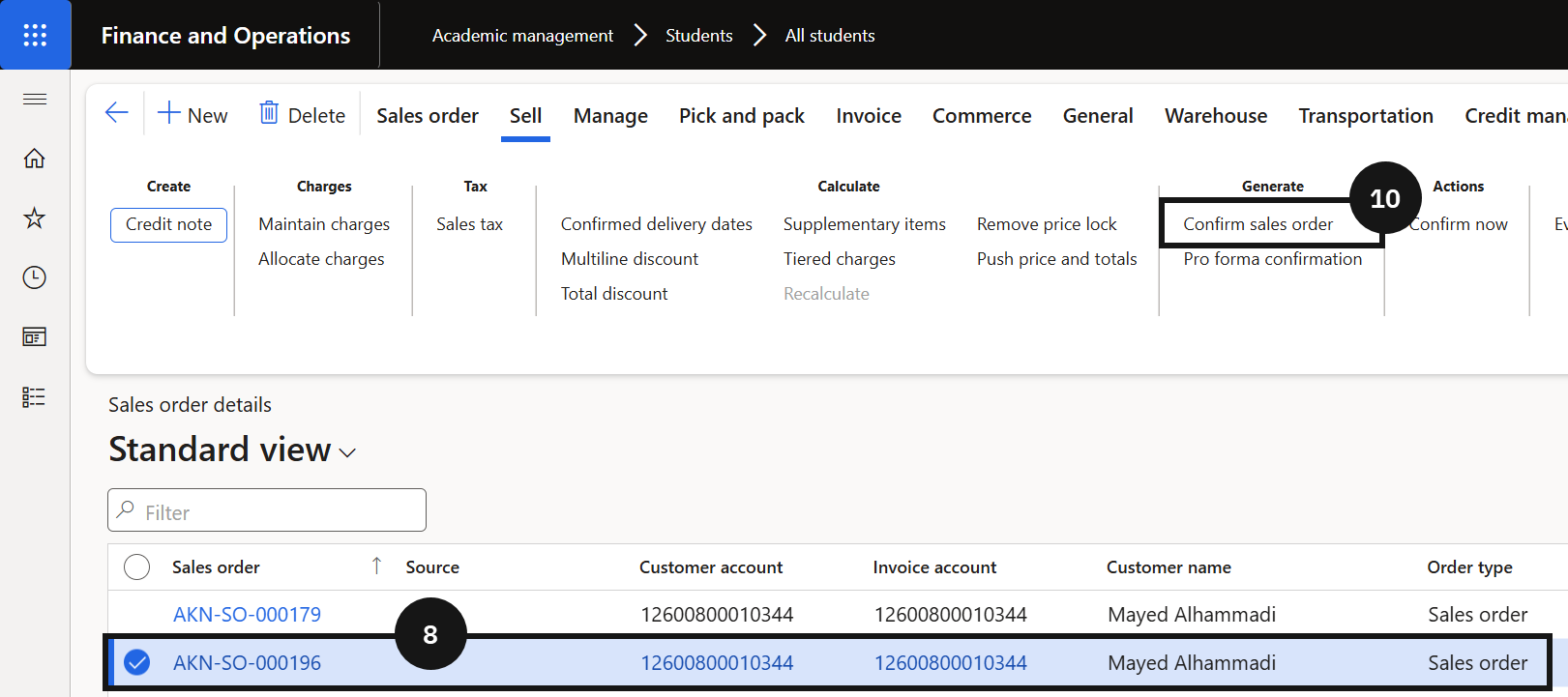
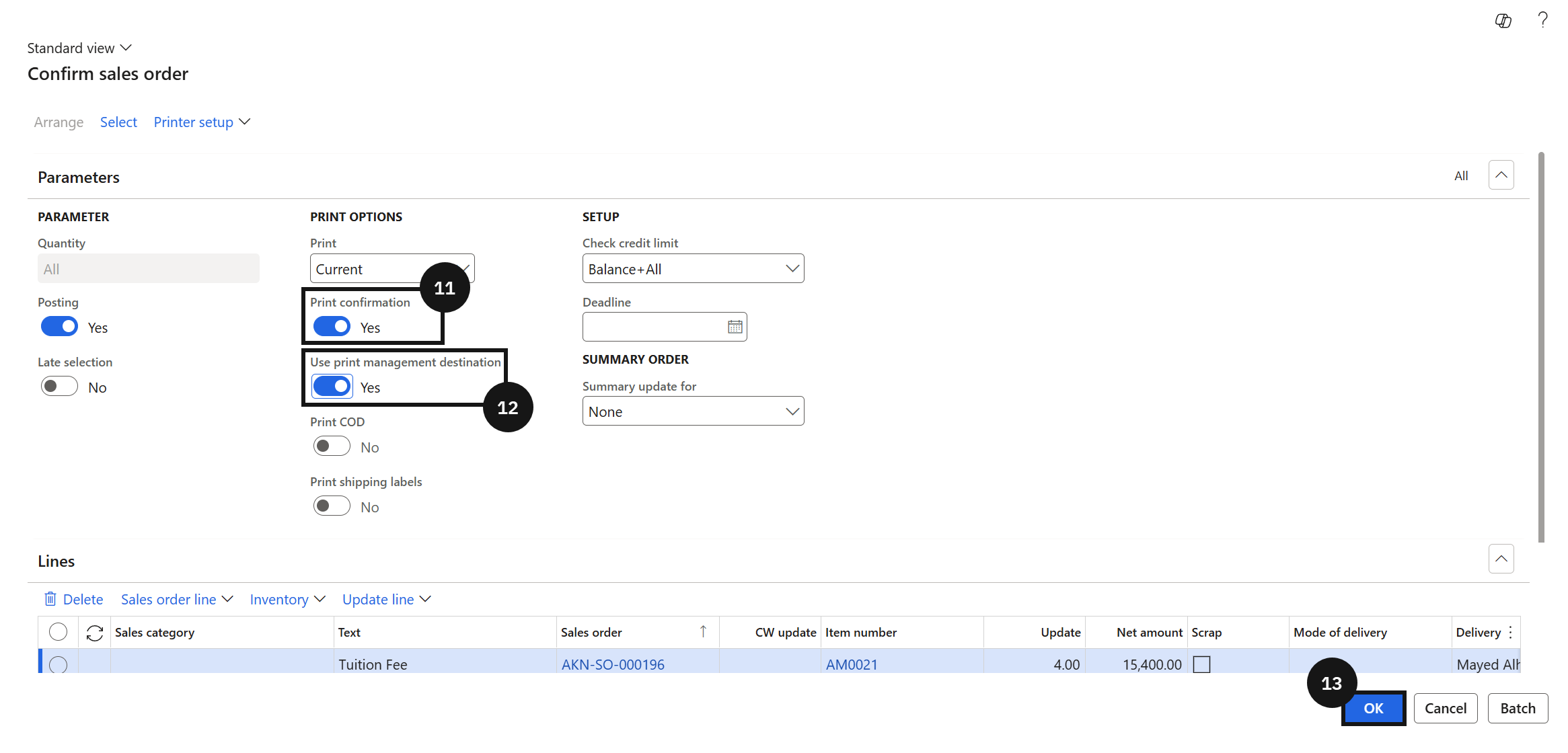
On the Action Pane, click Sell, then click Confirm sales order (⑩). Set the following:
- Print confirmation — set to Yes (⑪).
- Use print management destination — set to Yes (⑫).
Click OK (⑬). The system sends the proforma invoice to the fee payer using the print management destination configured for the school. No manual distribution is required.