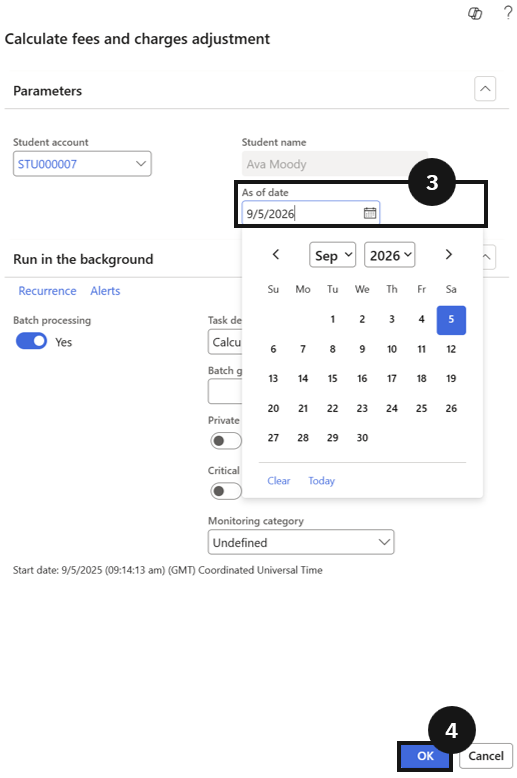
Calculate Fee and Charge Adjustment
Quick answer
- Run Academic Management ▸ Periodic tasks ▸ Calculate fee and charge adjustment, enter the student's last day at school, and click OK.
- The system calculates the refund based on the remaining school days after the leaving date.
Use this task to process fee adjustments for students leaving mid-term. The system calculates the refund based on the number of remaining school days after the leaving date.
Run the adjustment task
From the FNO dashboard, open Modules ▸ Academic Management, expand Periodic tasks, and click Calculate fee and charge adjustment. In the dialog, enter the student's last day at school (③), then click OK (④). The system calculates the refund based on the remaining school days after the leaving date.