Submit a tuition fee request
Quick answer
- From ESS, click Full profile on the right.
- Select the dependent; then the Tuition fee concession button activates.
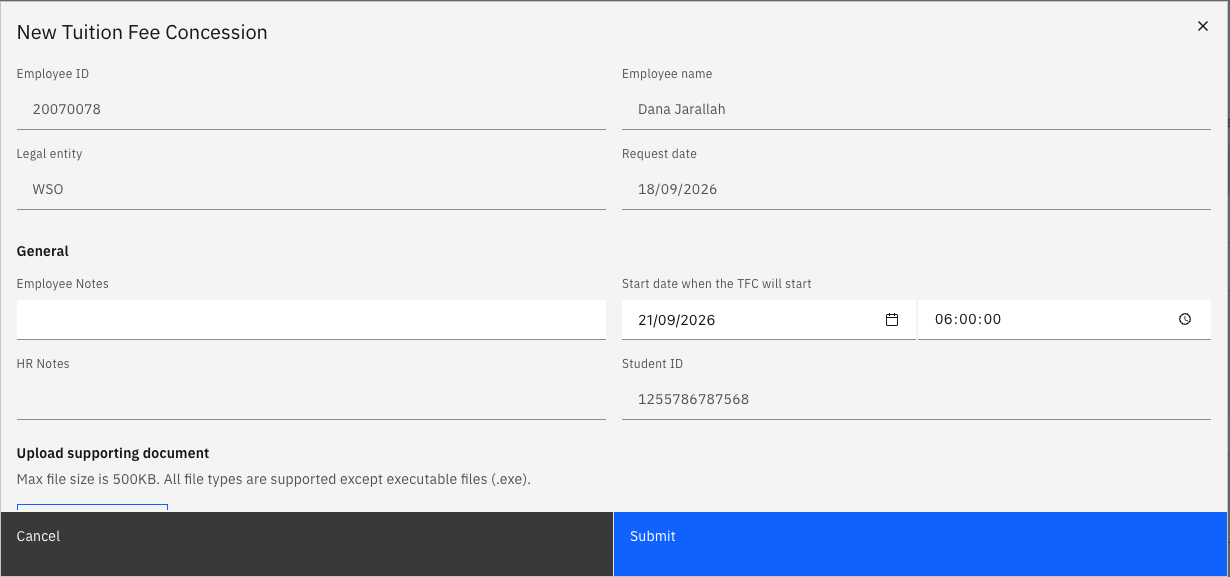
- Check the data and complete the pop-up form. Click Submit.
The Tuition Fee Concession request lets eligible employees apply for a tuition fee concession for a dependent child enrolled at a GEMS school. The request button is only active once your dependent is approved in the system and marked as a full-time GEMS student.
Open your Full Profile
On the ESS homepage, click Full profile to the right of your profile header tile.
Select the dependent
Open the Personal contacts tab. Select your dependents from the list by clicking the radio button beside their name. This will activate the Tuition fee concession link above the table. Click the link.

Complete the form
Check the pre-filled data: your employee name and number, entity and request date. Complete the start date and upload any supporting documents. Then click Submit.