Submit an HR request
Quick answer
- From ESS, navigate to the Submit request tile and select the type of request.
- Fill in the visible fields and optionally attach a file.
- Click Submit — a request number is generated, and your request enters the approval workflow.
HR Requests lets you submit formal requests to the HR team directly through ESS. The available request types are configured by HR — only types enabled for ESS are shown.
Navigate to HR Requests
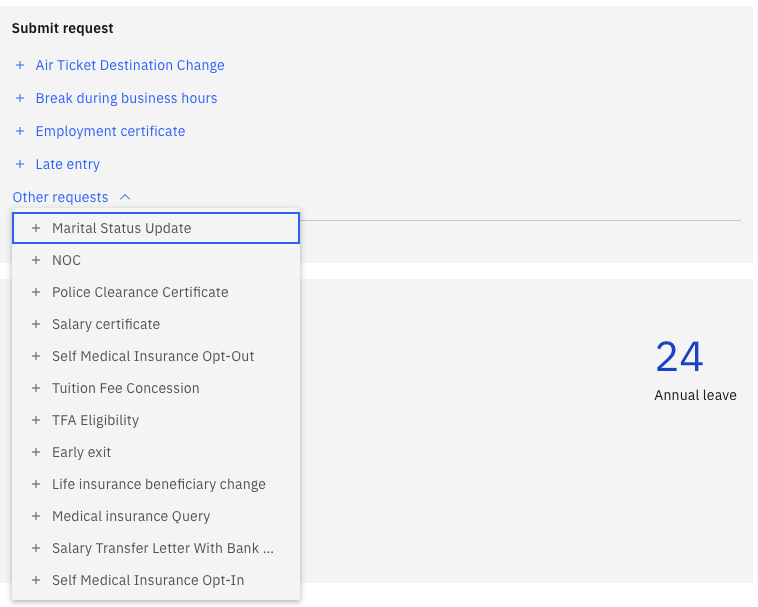
From the ESS home page, navigate to the Submit request tile.
Select a request type
Choose the type of request you want to submit from the list — for example, Police Clearance Certificate, Early Exit, or Late Entry. Request types appear in the order configured by HR.
Fill in the form
Complete the fields shown on the form. Fields marked as mandatory must be filled before you can submit. Fields vary by request type — for example, an Early Exit request includes fields for a covering person, effective date, time, handover notes, and reason.
Attach a file (optional)
Use the Choose a file control to attach any relevant supporting documentation.
Submit
Click Submit to send your request. A system-generated request number is assigned, and the current status is displayed.
Cancel if needed
If you no longer need the request, click Cancel to withdraw it while it is still pending.