Complete a questionnaire
Quick answer
- Go to Questionnaires in the My Work tab in ESS and select a questionnaire.
- Click Start (or Continue if resuming), answer each question, and click Submit.
- To save progress and return later, click Save as Draft.
Questionnaires are assigned by HR and appear in the Questionnaires tab of your ESS portal. You can save your progress and return later if needed.
Open the Questionnaires tab
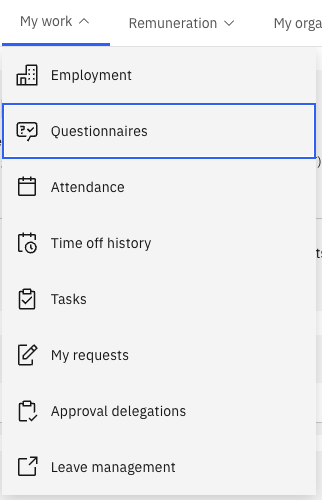
From the ESS portal, click the My work tab and scroll down to Questionnaires.
Select a questionnaire
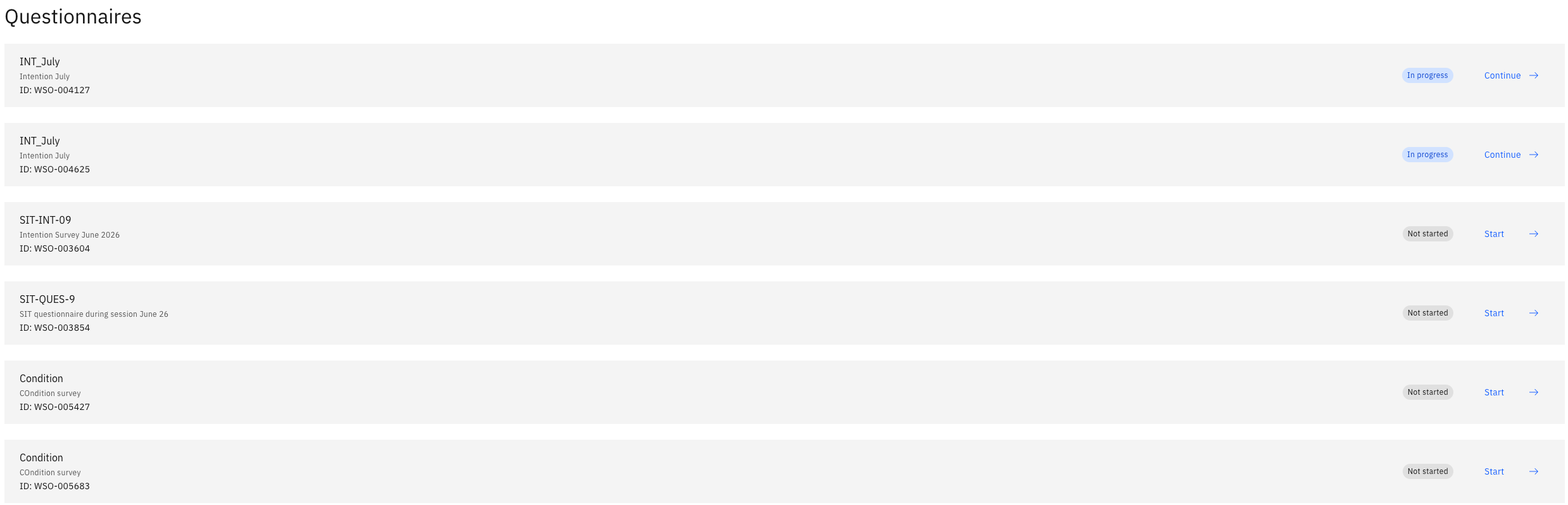
The list shows all questionnaires assigned to you with their current status: Not Started, In Progress, or Completed.
Select a questionnaire with a status of Not Started or In Progress.
Start or continue
Click Start to begin a new questionnaire, or Continue if you previously saved a draft.
Answer the questions
Work through each question in sequence. Questions may branch based on your answers.
Save as draft (optional)
If you need to return later, click Save as Draft. Your progress is saved, and the status changes to In Progress.
Submit
Once all questions are answered, click Submit to finalise your response. The questionnaire disappears from your active list. A full history of all questionnaires you have ever completed is available in the same tab.