Update your payment information
Quick answer
- Go to Full Profile ▸ Payment information tab.
- Click Add new payment method and complete the bank account details.
- Set the account to Active and click Submit.
Your payment information records the bank account where your salary is deposited. Only one account can be active at a time.
Open the Payment information tab
From your Full Profile, click the Payment information tab. Only your active account is shown in ESS — inactive accounts are filtered out.
Add a new payment method
Click Add new payment method + and complete the required fields:
- Bank name
- Account name
- Account number
- IBAN
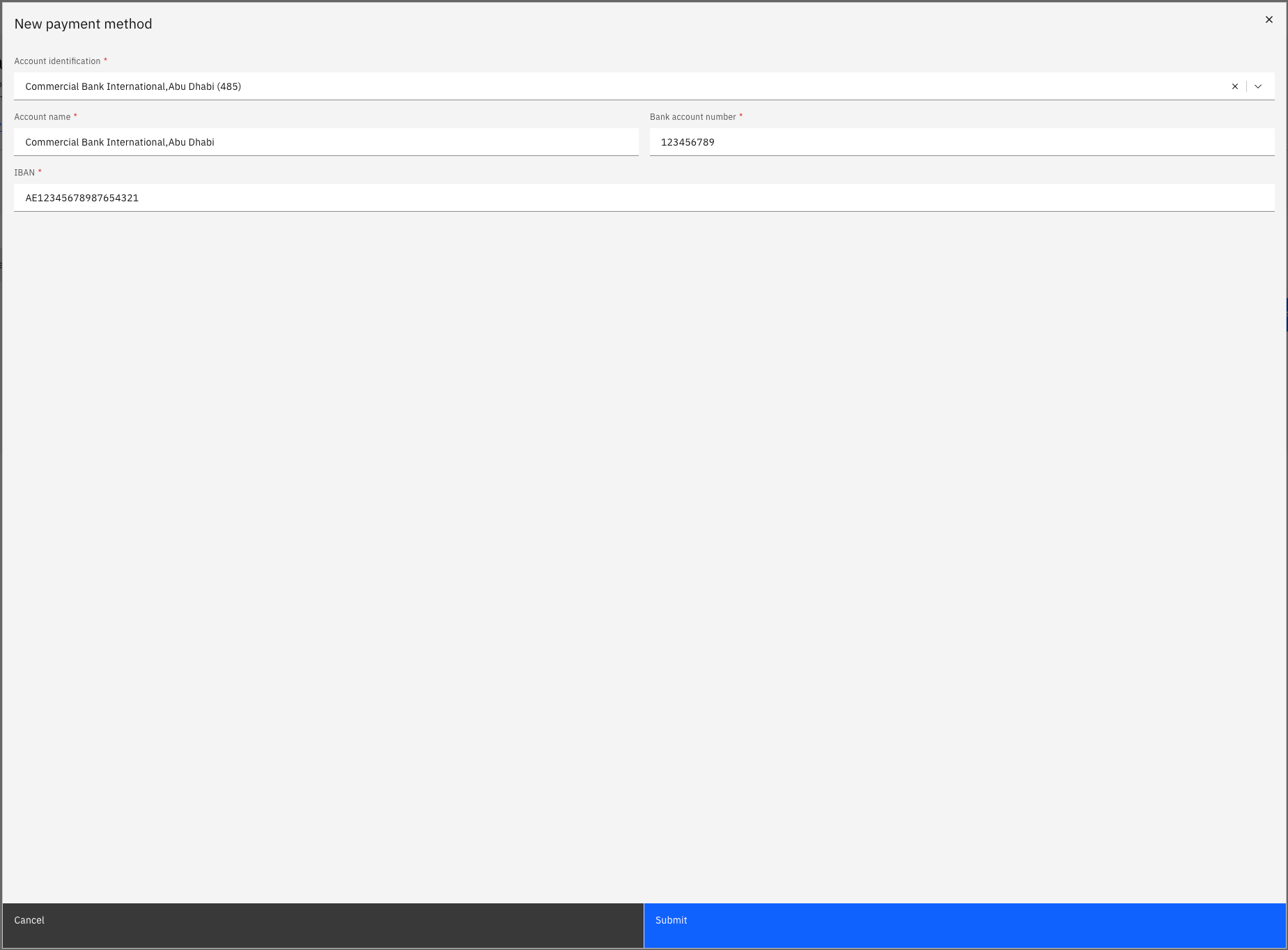
Submit
Click Submit to save your changes.
Changes to payment information go through an approval workflow before becoming active. If you are replacing an existing account, the previous account will be marked inactive once the new one is approved. The system also performs a duplicate IBAN check on submission.