Search the company directory
Quick answer
- From the ESS home page, navigate to Company Directory.
- Type a colleague's name or their reporting manager's name in the search bar.
- Review the matching profile showing department, position, and contact details.
The Company Directory lets you find any colleague's contact details, department, and position across the organisation.
Open Company Directory
From the ESS home page, navigate to Company directory.
Search for a colleague
Type a colleague's name or their reporting manager's name in the search bar.
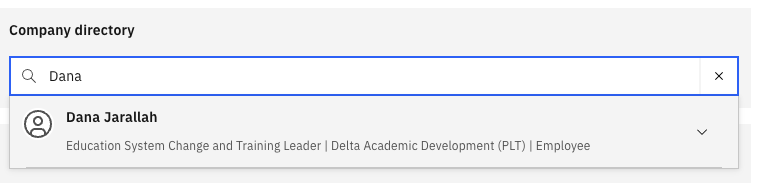
View the results
The matching employee profile is displayed, showing key details such as name, job title, department, and location.