Record an identification document
Quick answer
- Go to Full Profile ▸ Identification tab and click Add New.
- Select the document type, complete the required fields, and upload a copy of the document.
- Click Submit — the record stays Pending until approved by HR.
Identification documents are submitted through ESS and reviewed by HR before they become active. Once submitted, you cannot make changes to the record until it has been processed.
Open the Identification tab
From your Full Profile, click the Identification tab. Only your current active identification document is shown by default.
Add a new record
Click Add new identification + to start a new identification record.
Select the document type
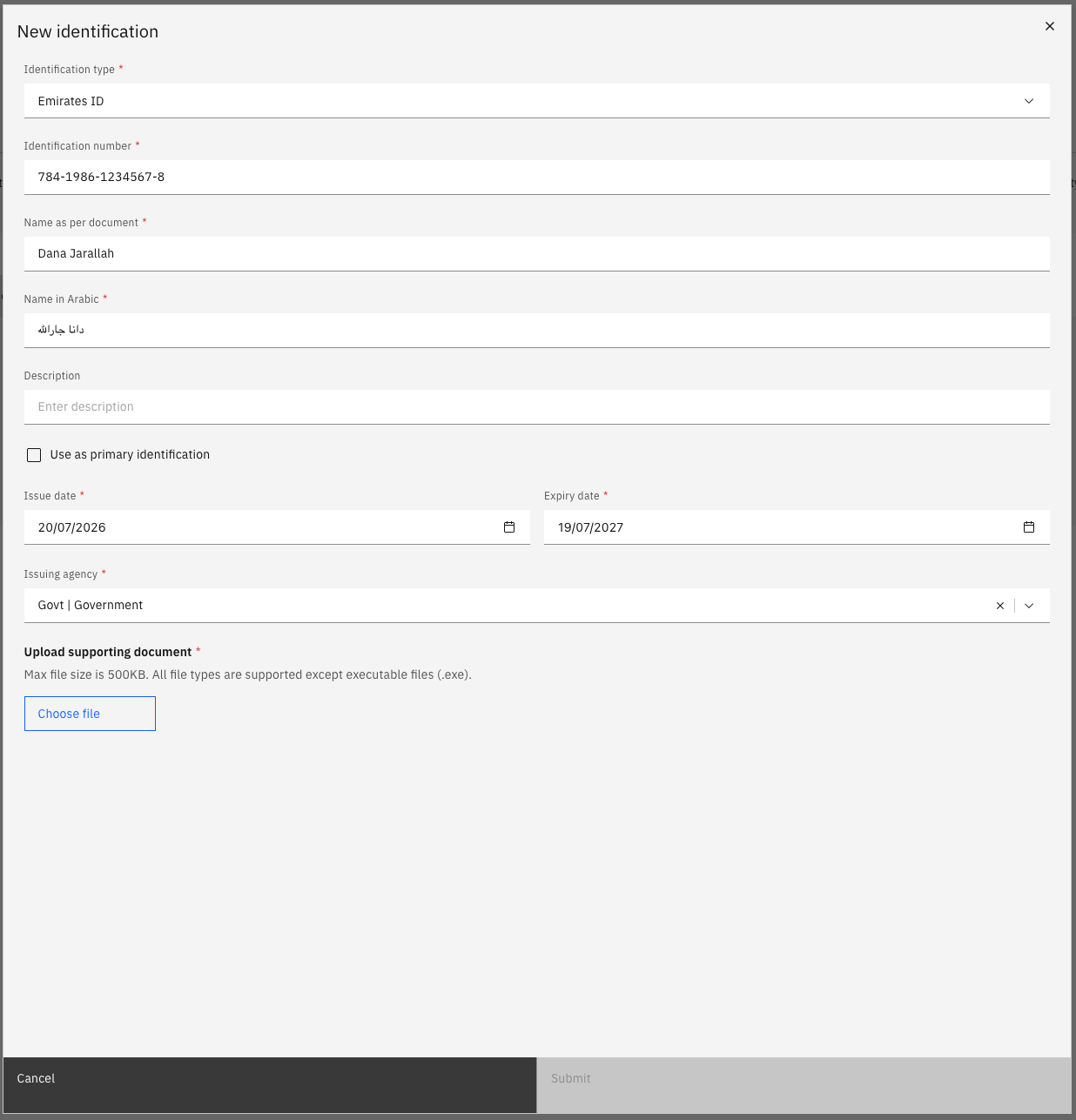
Choose the Identification type from the dropdown — for example, Passport, Emirates ID, or Labour Card. The form updates to show the fields relevant to that document type.
Complete the required fields
Enter the:
- Identification number
- Issuing authority
- Valid from and expiry dates
Upload the document
Click Choose file to attach a copy of the identification document. If the document type requires an attachment, the Submit button is disabled until a file is uploaded.
Submit for approval
Click Submit to send the record to HR for review. The record status shows as Pending until approved.
When a document is approaching its expiry date, an Expiring Soon label appears on the tab and a notification appears in the bell icon at the top of the screen.