Manage your subjects
Quick answer
- Go to Full Profile ▸ Subjects tab and click Add New Subject.
- Search for or select a subject, toggle Primary if it is your main subject.
- Click Submit — the record is sent for approval.
The Subjects tab lets you declare the subjects you are qualified in or available to teach. Subject submissions are routed through the approval workflow.
Open the Subjects tab
From your Full Profile, click the Subjects tab.
Add a subject
Click Add new subject +.
Select the subject
Search by keyword or select a subject from the dropdown list using the subject ID or description.
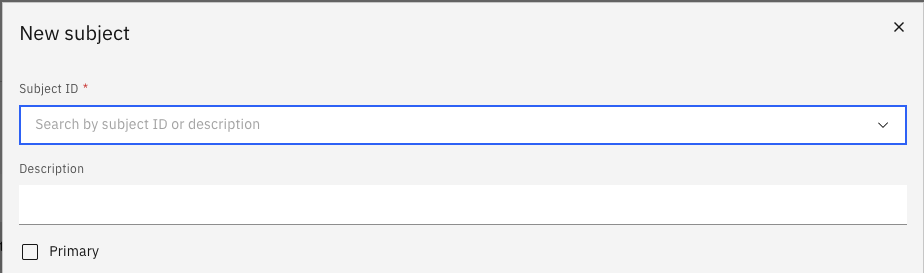
Set as primary (optional)
Toggle the Primary flag if this is your main teaching subject.
Submit for approval
Click Submit to send the record for review.