Add an education record
Quick answer
- Go to Full Profile ▸ Education tab and click Add New Qualification.
- Select the qualification type, complete the fields, and upload your certificate.
- Click Submit — the record shows as In Review until approved.
Education records are submitted through ESS and reviewed by HR before they appear as active on your profile.
Open the Education tab
From your Full Profile, click the Education tab.
Add a new qualification
Click Add new qualification +.
Select the qualification type
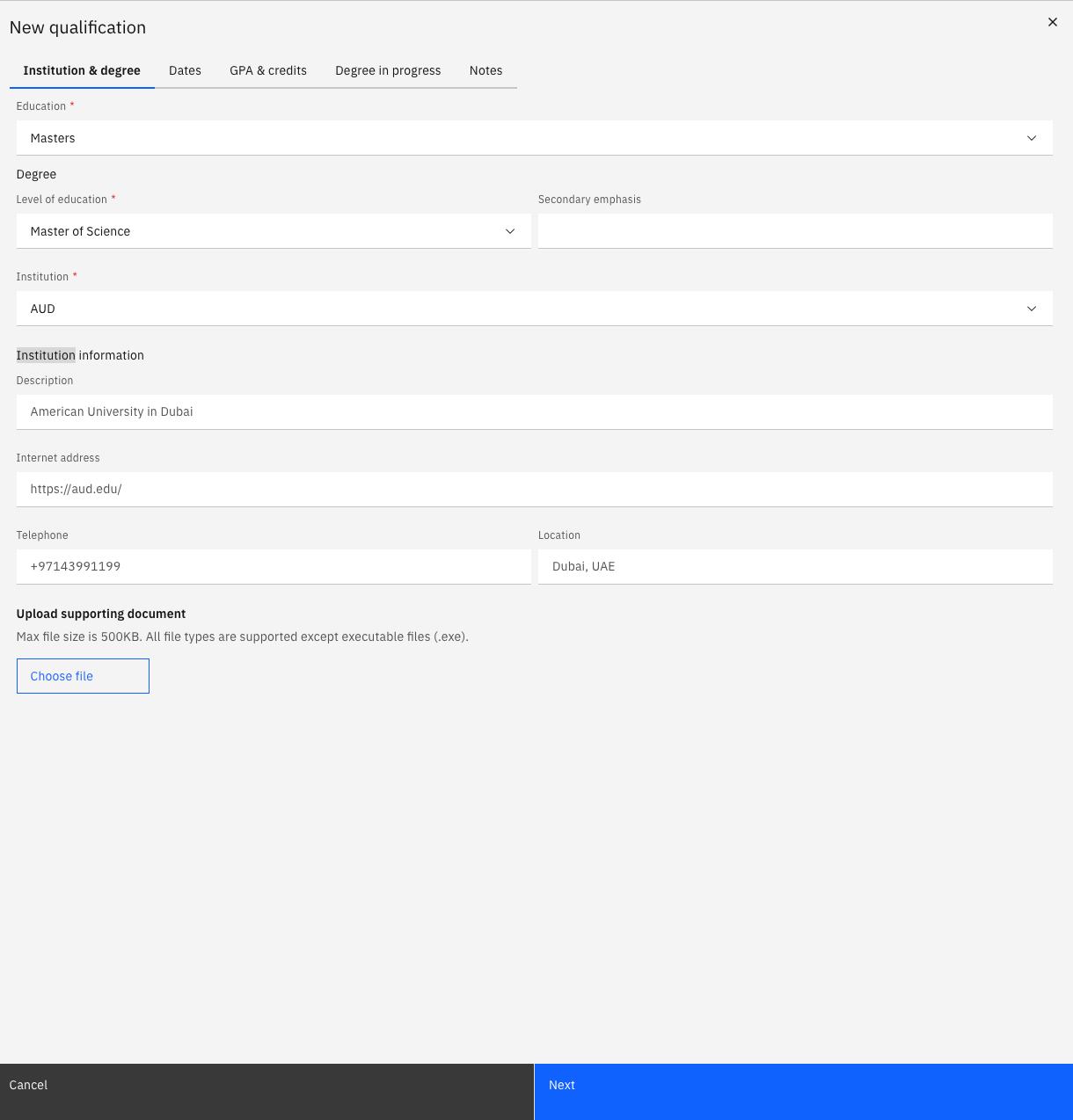
Choose the Education type from the dropdown — for example, Masters or Bachelors.
Complete the details
Fill in the relevant fields: field of study, level of education, institution, start date, and completion status.
Upload your certificate
Click Choose file to attach your certificate and transcripts.
Continue through tabs
Click Next to move through any additional tabs and complete the remaining information if required.
Submit for approval
Click Submit to send the record for HR review. The status shows as In Review until approved. Once approved, the qualification appears on your profile immediately.