Complete your probation feedback
Quick answer
- From ESS, go to Employment ▸ Probation Review when assigned.
- Read your manager's ratings and comments, then add your own feedback for each competency.
- Click Submit to finalise.
After your manager submits their probation review, the workflow routes it to you for your response. You will receive a notification when your feedback is due.
Open the probation review
From the ESS portal, go to Employment ▸ Probation Review (the review appears here when it is assigned to you for feedback).

Read your manager's assessment
The form shows:
- Your manager's ratings for each competency (read-only)
- Your manager's comments for each competency (read-only)
- For Stage 2 reviews: Stage 1 ratings and comments are shown side-by-side with the Stage 2 fields so you can see your progression
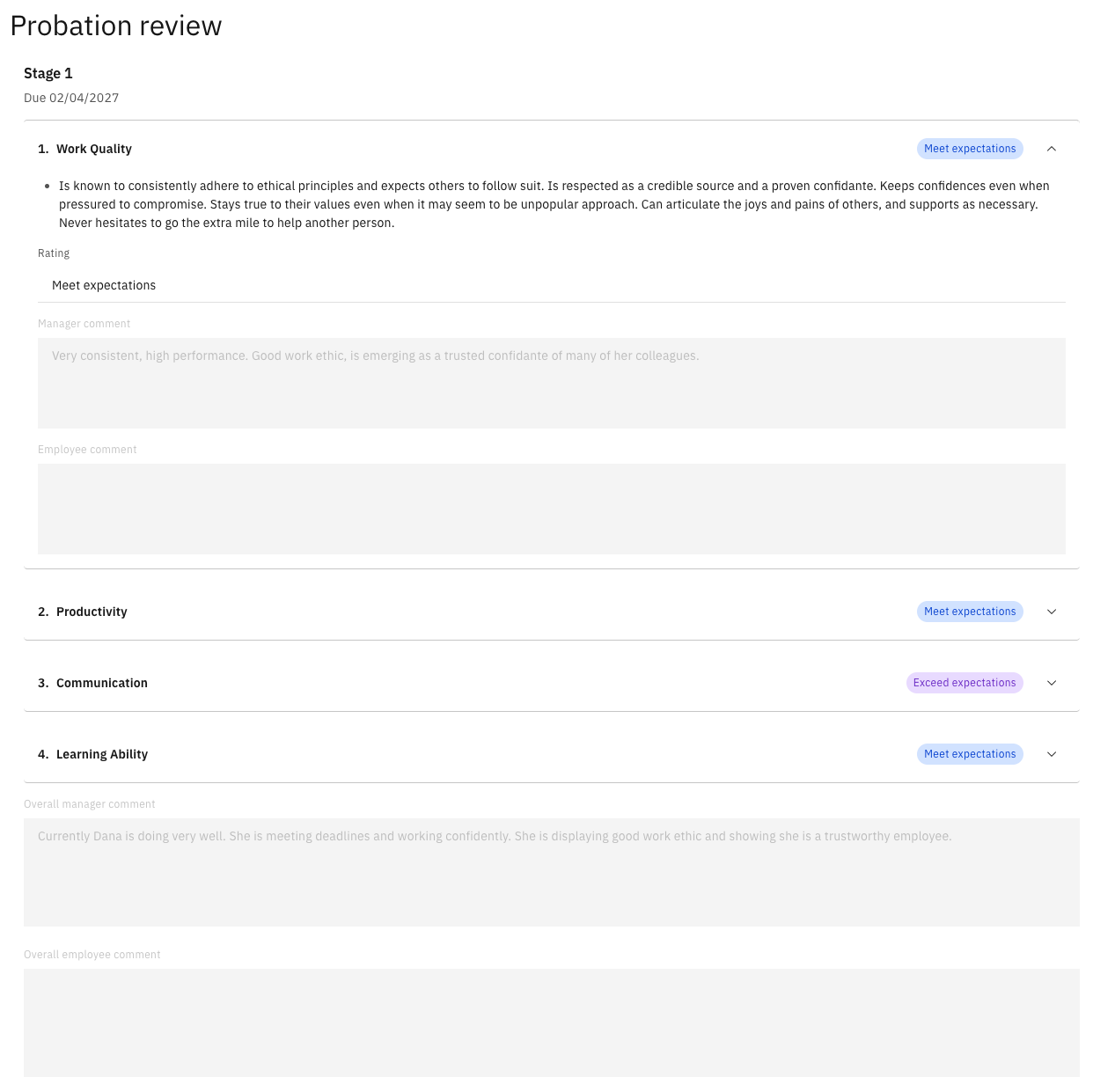
Add your feedback
Enter your response in the Employee Comment fields for each competency. An Employee Overall Comment field is also available for a summary response.
Submit
Click Submit to finalise your feedback. The review is removed from your ESS queue and the workflow moves to the next stage (HR notification for Stage 2, or completion for Stage 1).