Release calibrated ratings to your team
Quick answer
- In ESS, open the calibration manager view to see the calibrated ratings HR has released to you.
- Check which ratings have changed and hold your conversations with the employees affected.
- Click Publish to employees to release the final ratings to your team.
Once HR has calibrated, the ratings come back to you before they reach your team. This gives you a chance to see what changed and talk with anyone whose rating moved, rather than having them find out from the system.
Open the calibration manager view
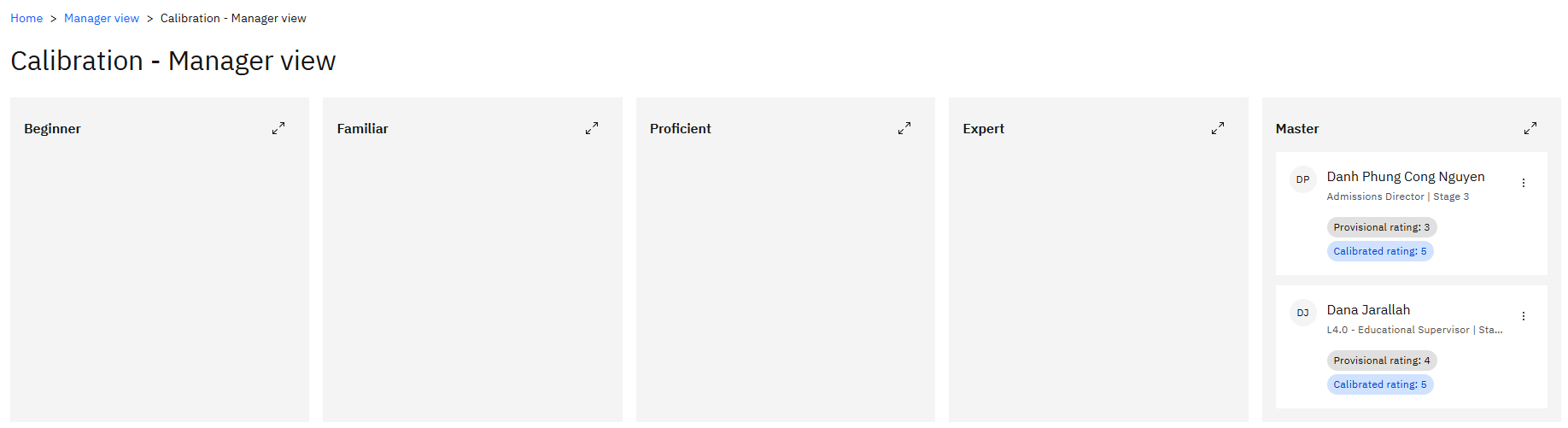
In ESS, go to your manager view and open calibration. Your view populates once HR releases ratings to you—before that, you won't see anything.

See which ratings changed
The view shows the calibrated rating for each of your direct reports and which of them have changed from what you submitted. This is the list you need to work through.
Review an individual
Open an employee to see their full details—their growth and performance view, quick profile, rating, and everything from their review: comments, completed training needs, career aspirations, PDP and PIP goals, and objectives.
Hold your conversations
Where a rating has been downgraded or significantly uplifted after comparison against peers, speak to the employee before publishing. This step ensures expectations are set in a conversation rather than by a notification.
Publish to employees
Once the ratings are agreed, click Publish to employees. The calibrated ratings are released to your team and appear in their performance view.
Confirm the release
Go back into the calibration inquiry view. Your direct reports now show as released—the tick boxes next to them are set once publishing completes.
You can't undo publishing from this screen. Have the conversations first, then publish.