Attach a medical certificate to a sick leave request
Quick answer
- Sick leave requests may require a medical certificate before you can submit.
- During probation, a certificate is required from the first day; once confirmed, it is only required beyond a set number of days.
- Upload the document to the request, then click Submit.
Sick leave often needs a supporting medical certificate. Whether you need one depends on your probation status and the length of the absence — the system checks this when you submit and tells you if a document is missing.
Start your sick leave request
In ESS, go to Request time off, select the leave plan containing sick leave, choose Sick leave as the leave type, and select the reason code — for example, illness.
Select your dates
Pick the start and end dates for the absence.
Submit and check for the attachment prompt
Click Submit. If a certificate is needed, the request is not accepted, and you see the notification Please review the form and ensure all mandatory information have been met before processing.
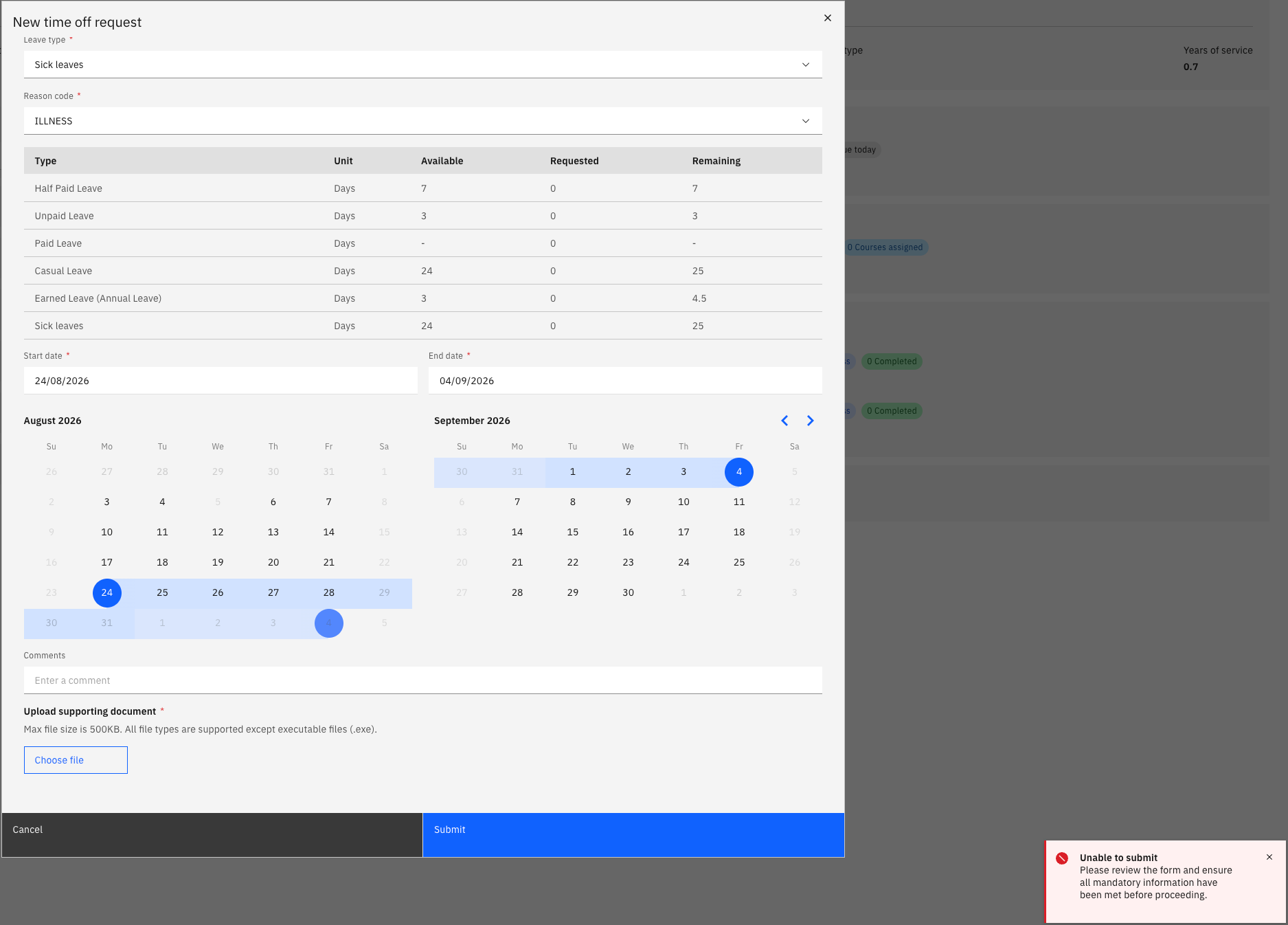
When this appears depends on your status:
Your status When a certificate is required Pending confirmation (within probation) For any sick leave request, from the first day Confirmed (outside probation) Only once the absence exceeds the threshold set for your school — three days, for example Upload the certificate
Attach your medical certificate to the request.
Submit again
Click Submit. With the document attached, the request is accepted and routed for approval as normal.
The same rule applies to other leave types, not just sick leave. If you are unsure whether a certificate is needed, submit the request — the system tells you if one is missing before it accepts it.