Use the Approvals and Tasks workspace
Quick answer
- From the ESS home page, navigate to Tasks.
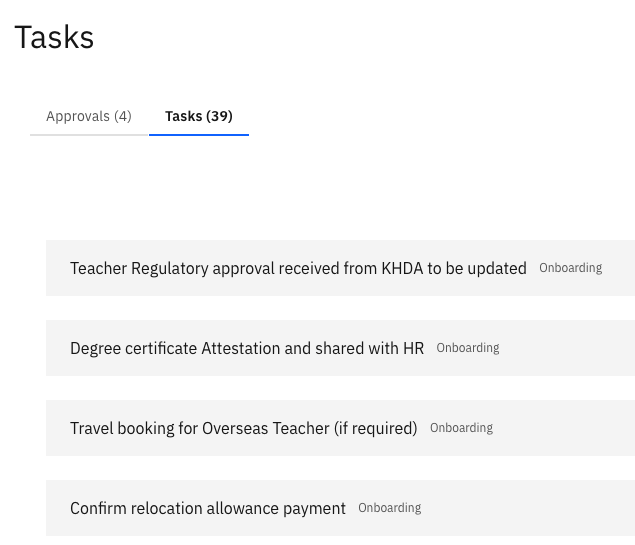
- Use the Tasks tab for your assigned checklist items and the Approvals tab for items awaiting your review.
- Click any item to open it and take action.
The Approvals and Tasks workspace is your central hub for everything that needs your attention — assigned tasks and requests waiting for your approval.
Open the workspace
From the ESS home page, click the Tasks tile.
Switch between tabs
The workspace has two tabs:
Tab What you'll find Tasks All checklist tasks assigned to you (e.g., onboarding tasks) Approvals All items waiting for your review and approval (e.g., identification updates, education records, and skill submissions from your direct reports) 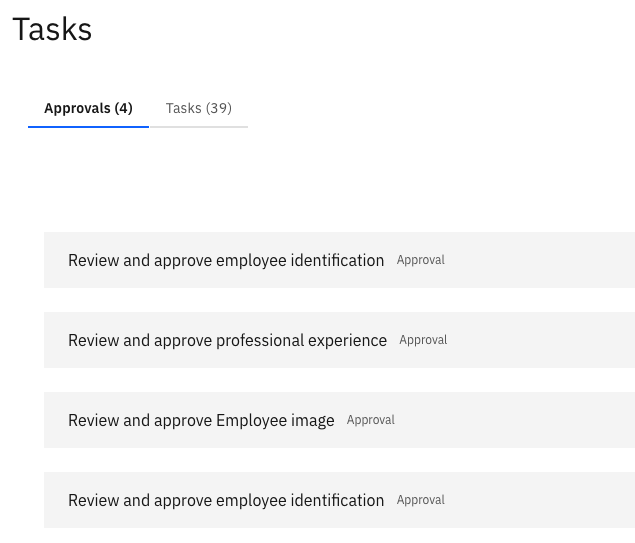
Open an item
Click on any item in either tab to open its full detail view and take action.